
ابدأ رحلة عملك عبر الإنترنت


How to Obtain Your Firebase (Data) Url and Secret Key?
For obtaining your Firebase Database URL and Secret Key follow below mention steps:
-
Goto Firebase.com
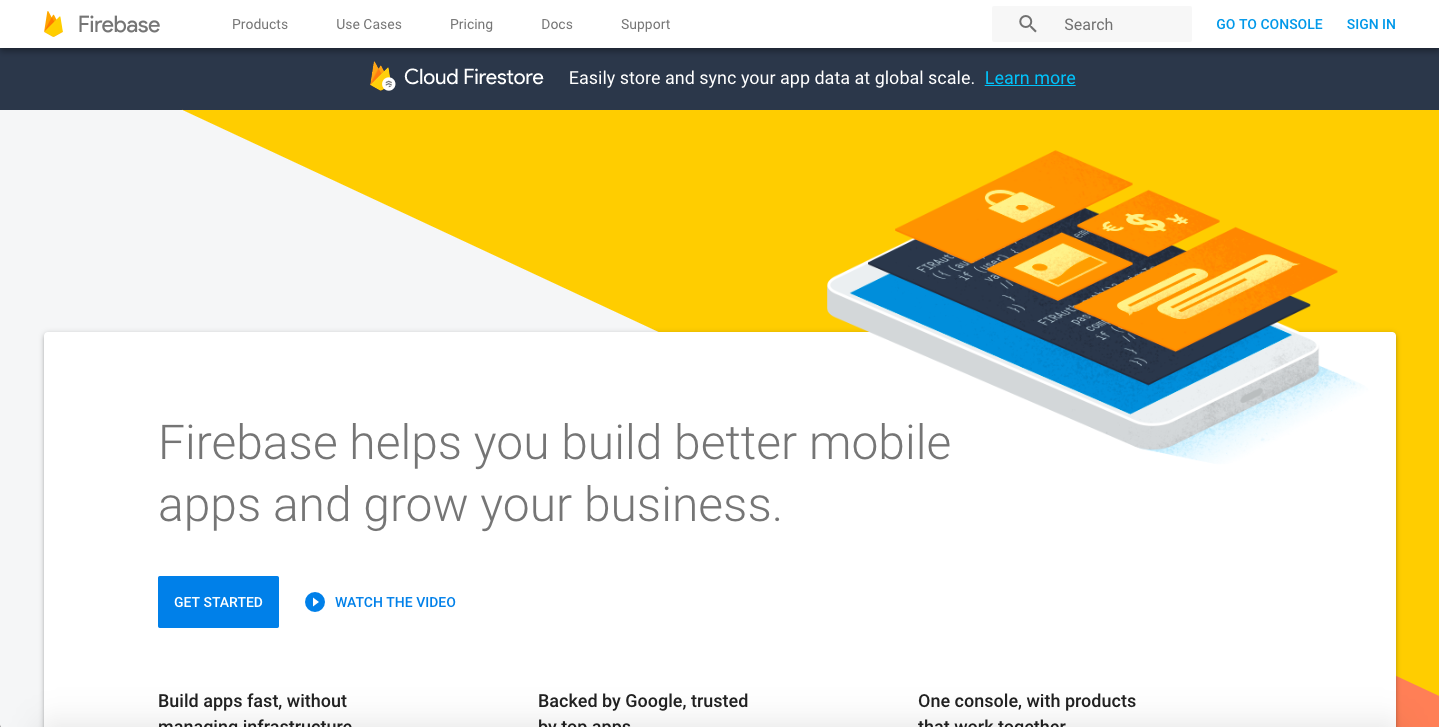
-
Click on Go to console button
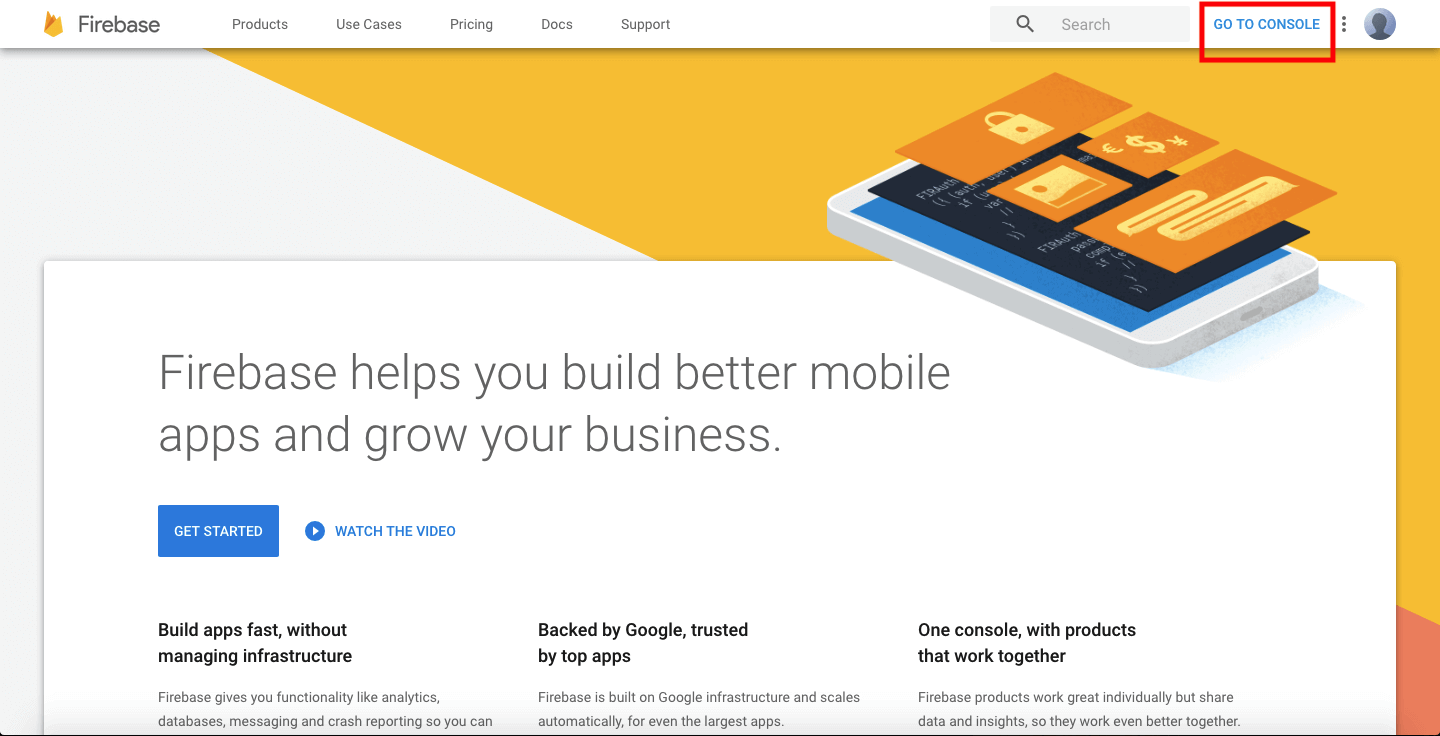
-
Create new project if you does not have already otherwise click on that project
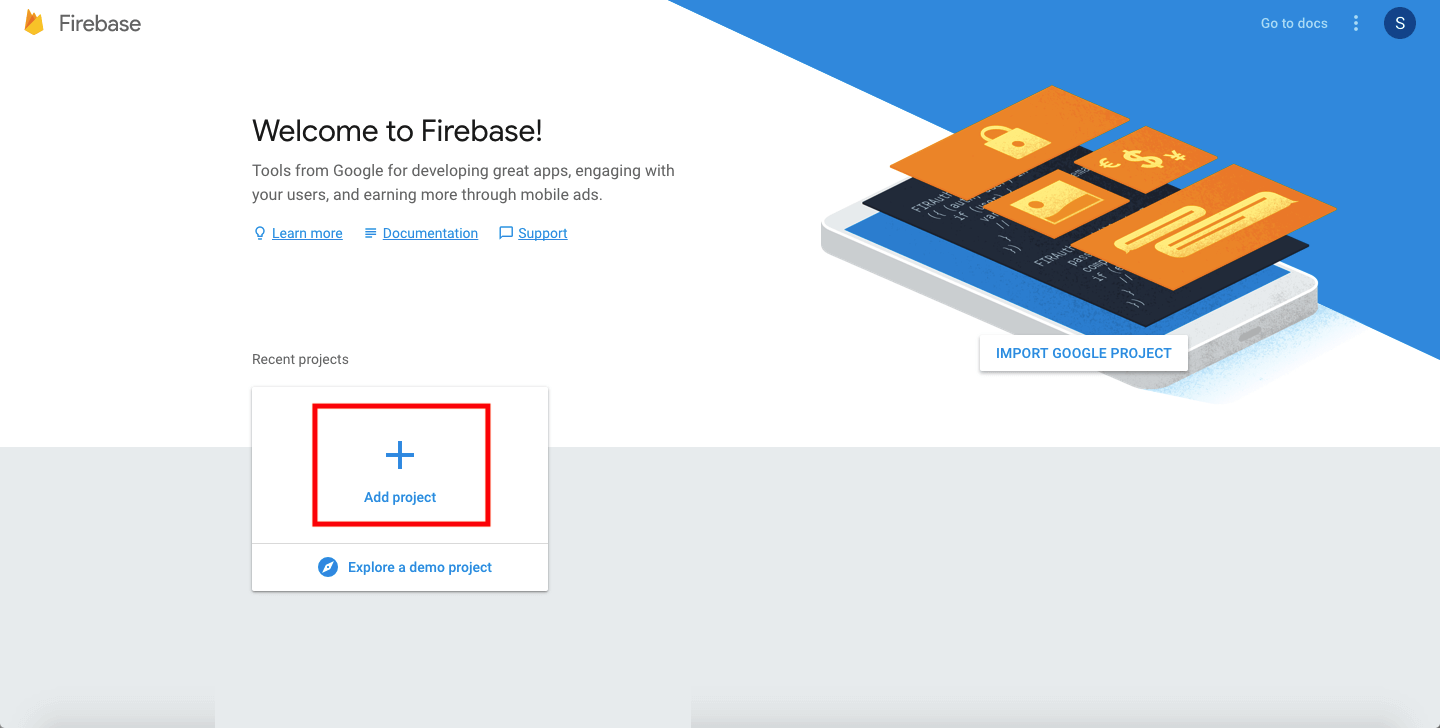
-
Provide Project Name, select your Country/region and click on Create Project
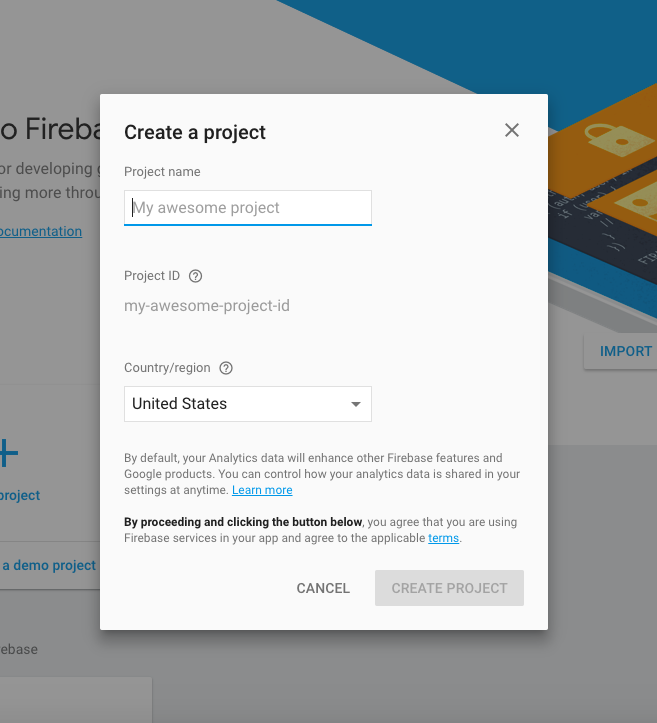
-
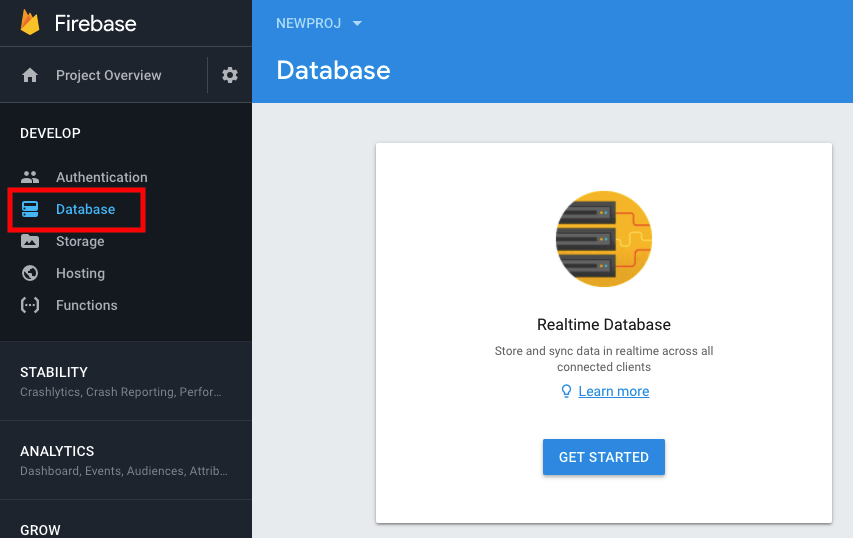
Click on Database from left menu and click on Get Started
-
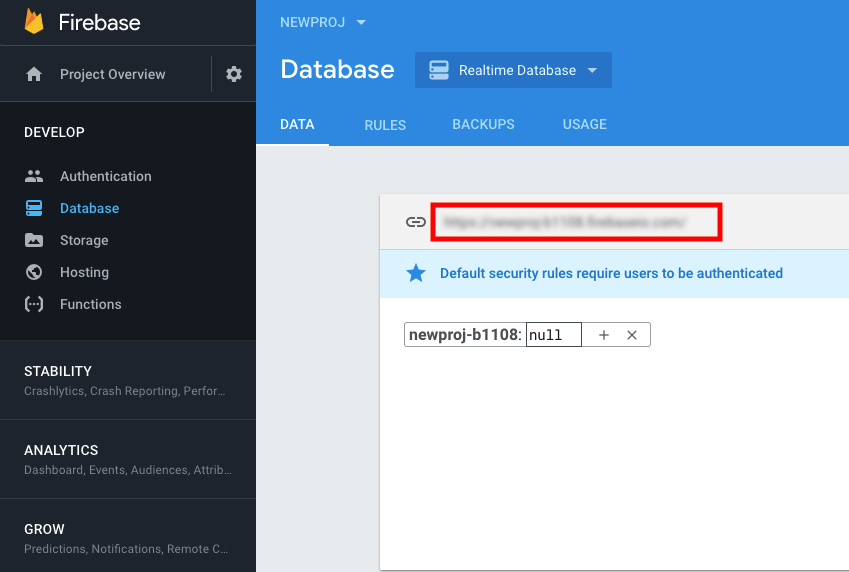
Copy your Firebase url from and paste it into Mhgdesignagency respective field
-
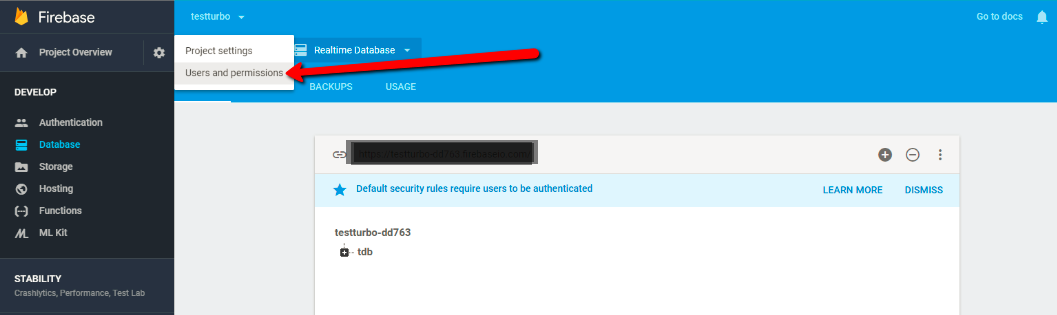
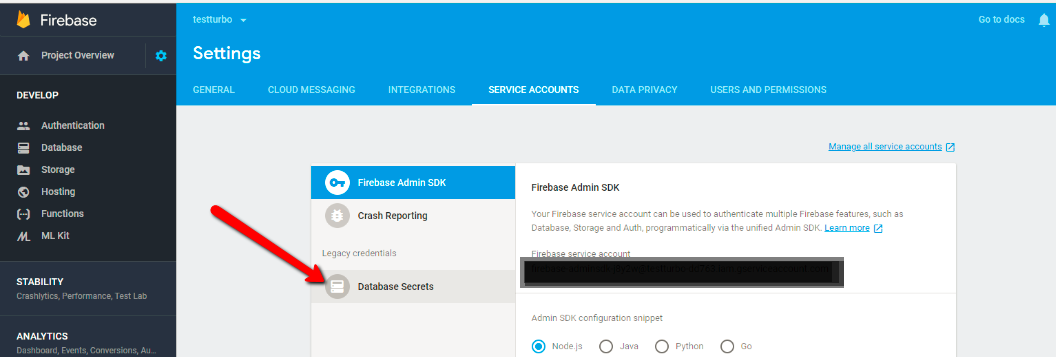
Now Goto Users and permissions settings
-
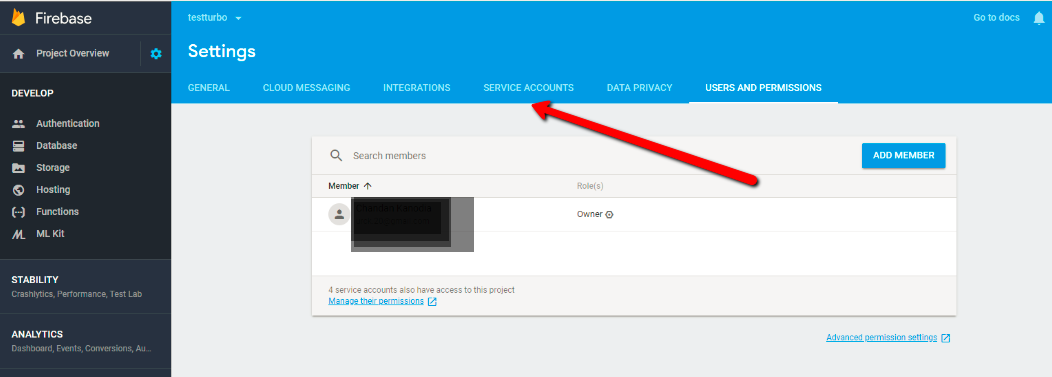
Click on Service Accounts tab
-
Switch to Database Secrets tab
-
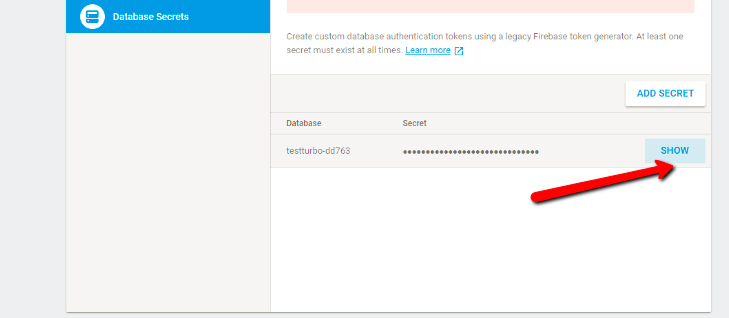
Click on "SHOW" button to view your Secret Key copy and paste it into Mhgdesignagency respective field
هل كان المقال مساعدا
هل كان المقال مساعدا
شكرا لملاحظاتك!
- انضم
- تسجيل الدخول

أهلا، زائر!