
ابدأ رحلة عملك عبر الإنترنت


How to obtain Account SID, API Key and Secret Key from Twilio account?
Follow steps below to obtain Account SID, API Key and Secret Key from Twilio account :
Step 1 : Go to Twilio
Step 2 : Click on Sign up

Step 3 : Enter your information and verify the captcha
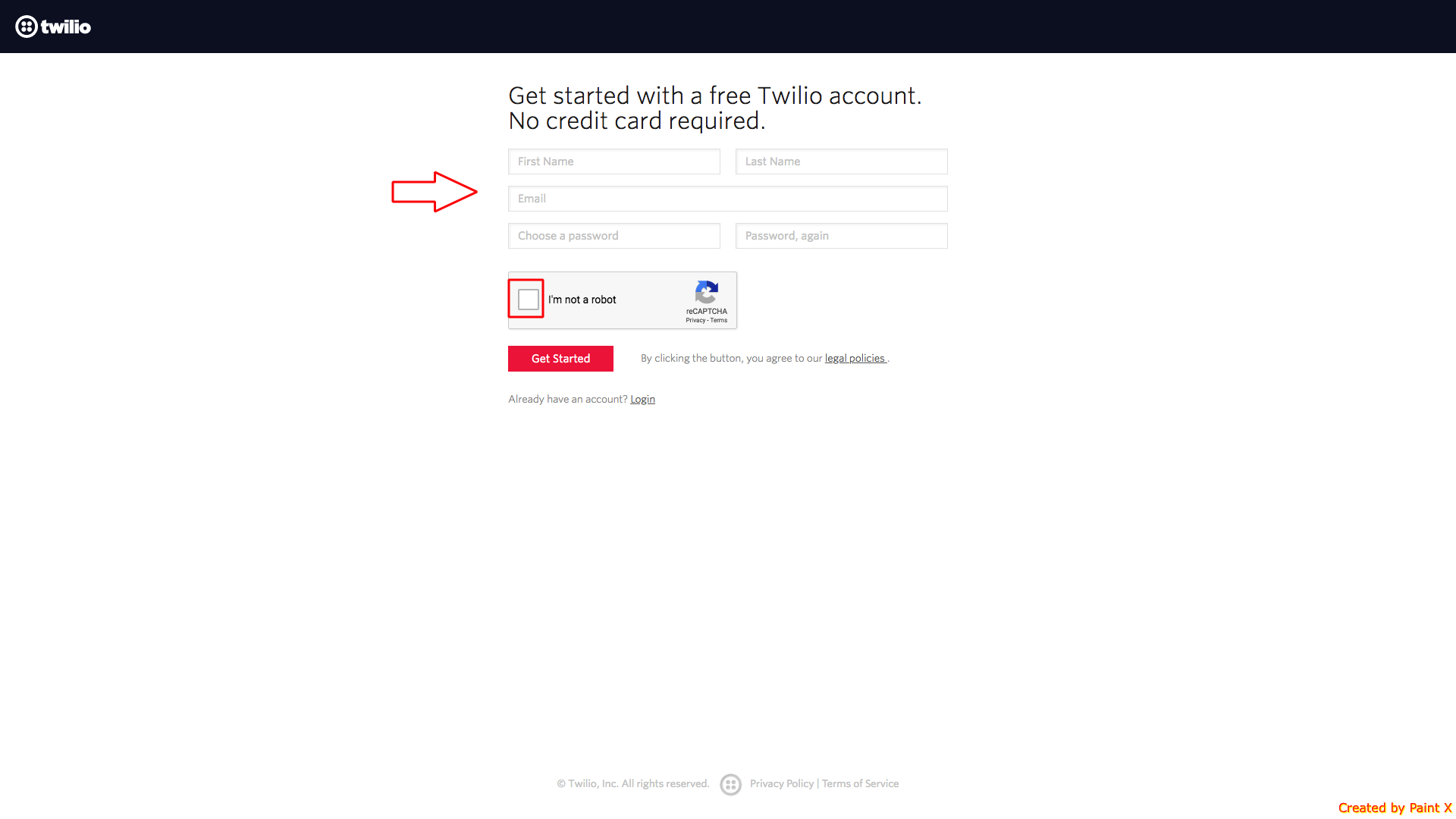
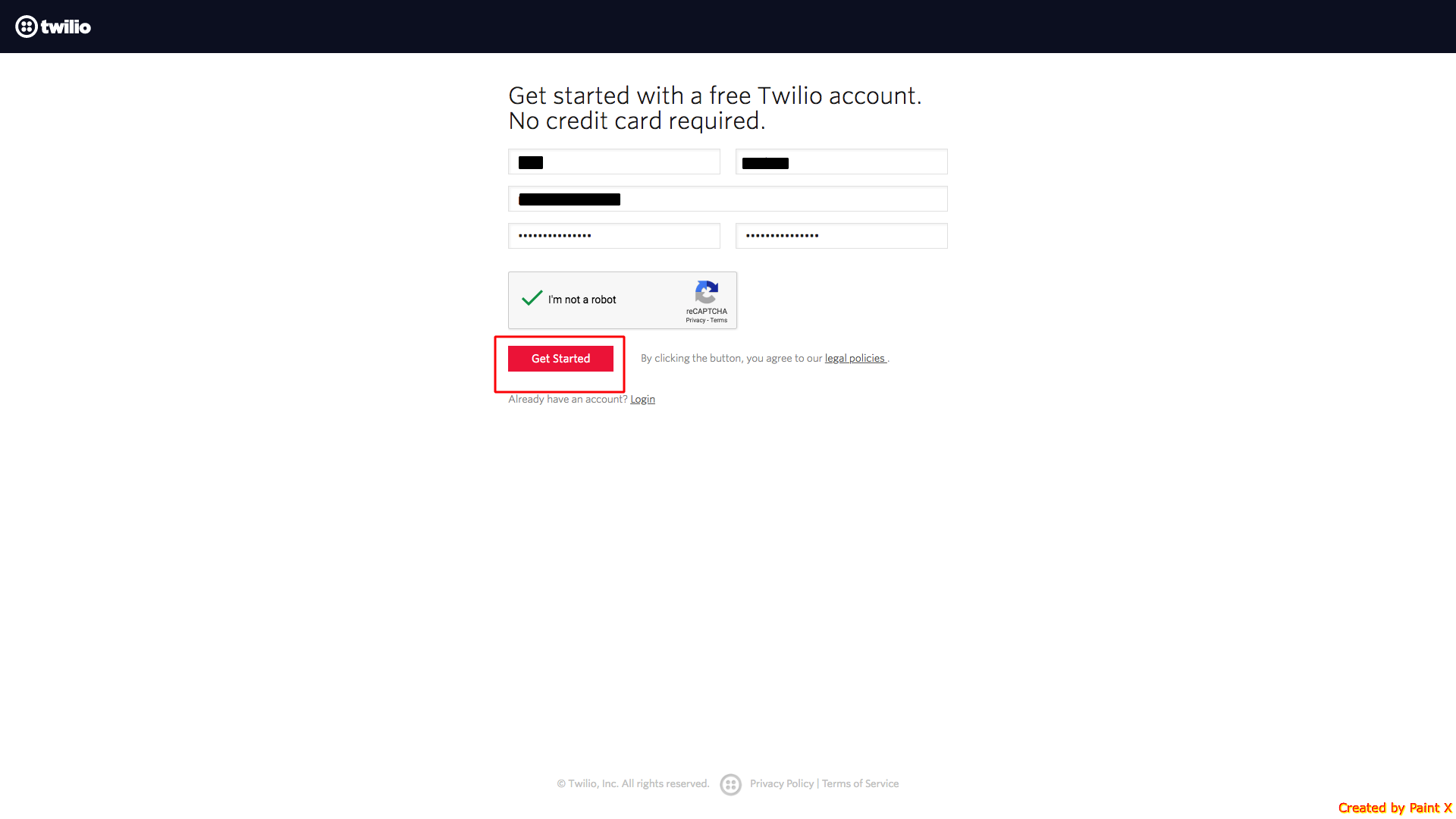
Step 4 : Click on Get Started
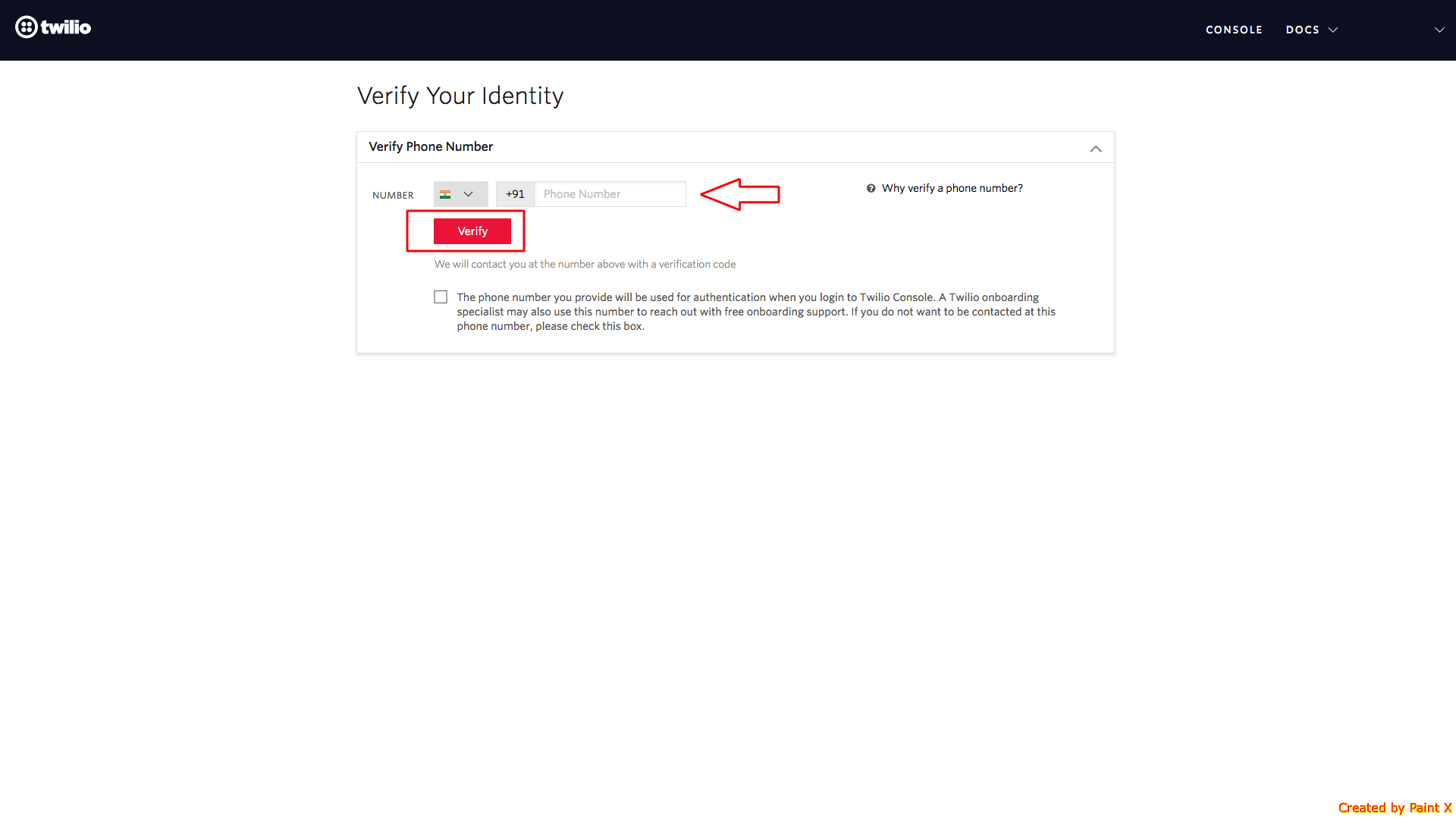
Step 5 : Enter your phone number and click on Verify
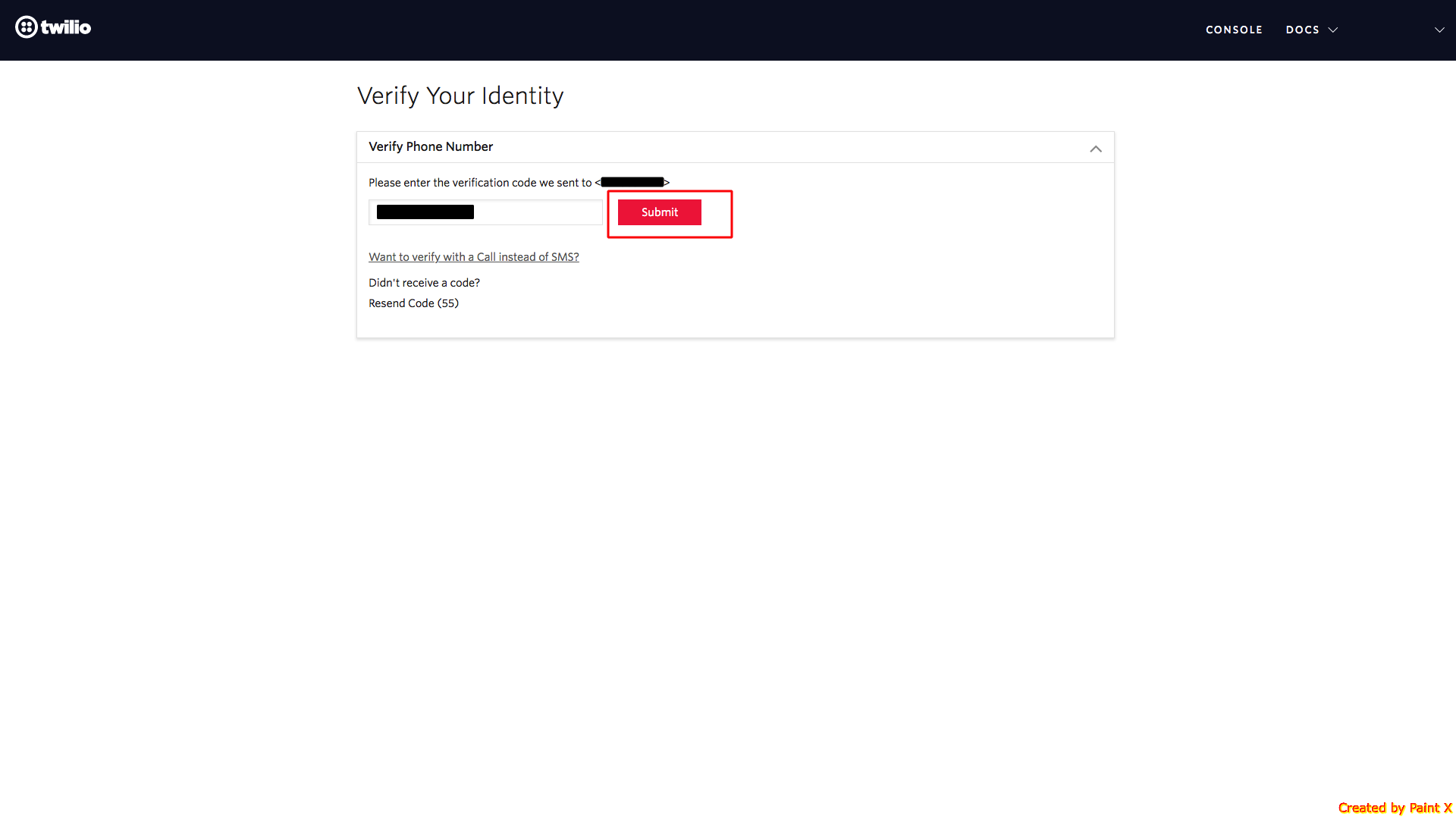
Step 6 : Enter the verification code and click on Submit
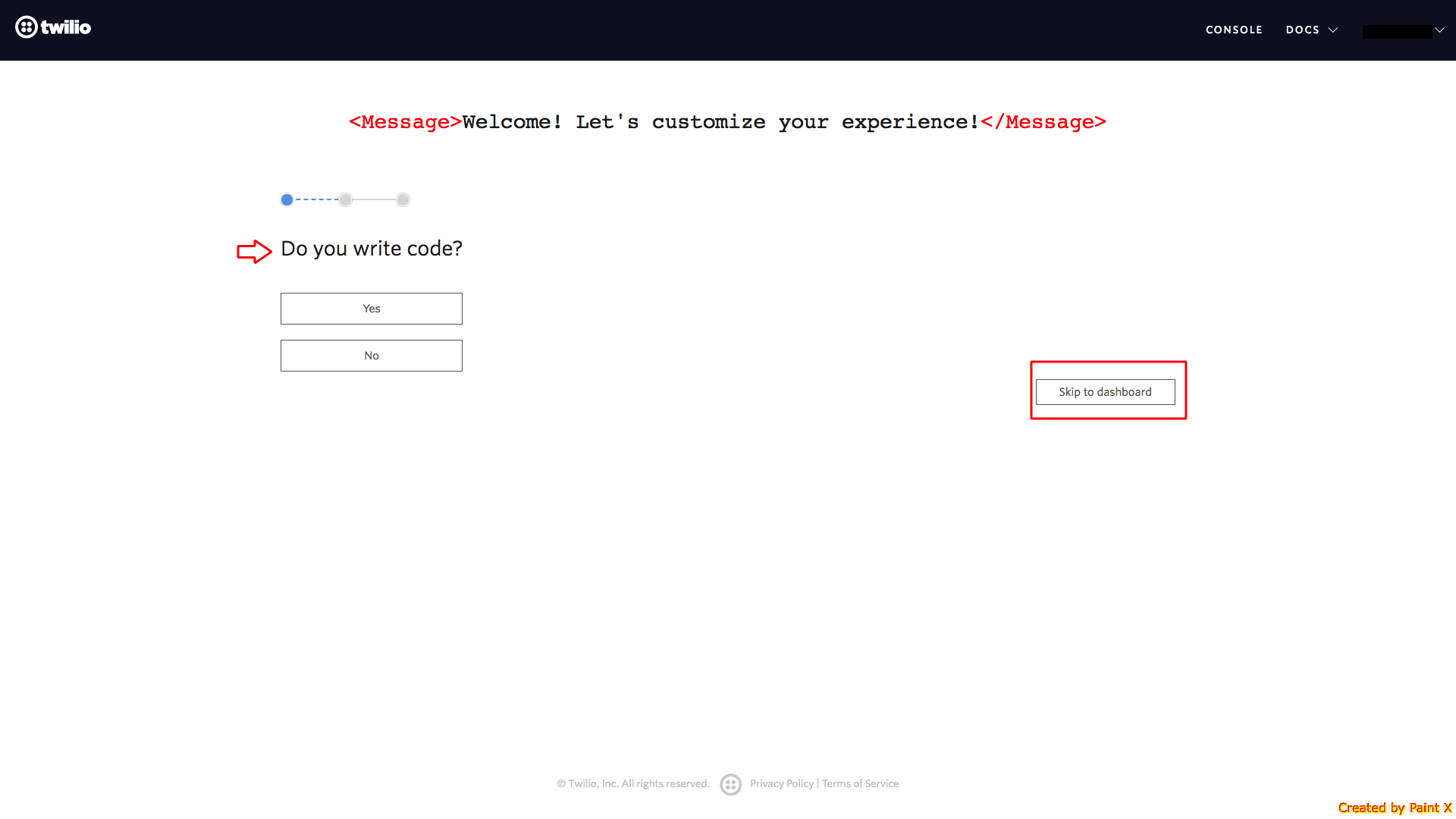
Step 7 : Here you will see some questions for customizing your experience. If you want, you can answer them or skip to dashboard
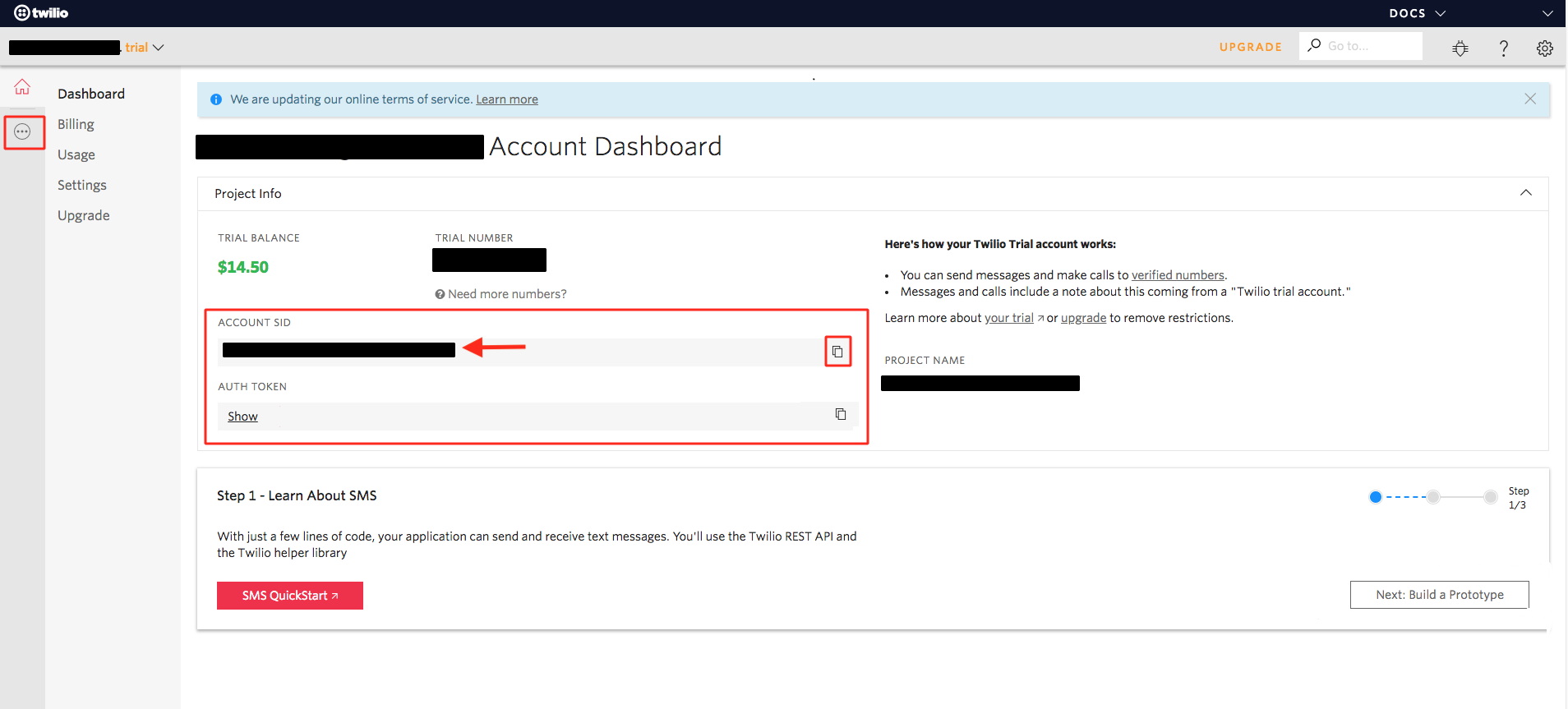
Step 8 : Here are your Account SID. Copy it and click on three-dot icon present on the left most side of your dashboard
Step 9 : Select Programmable Chat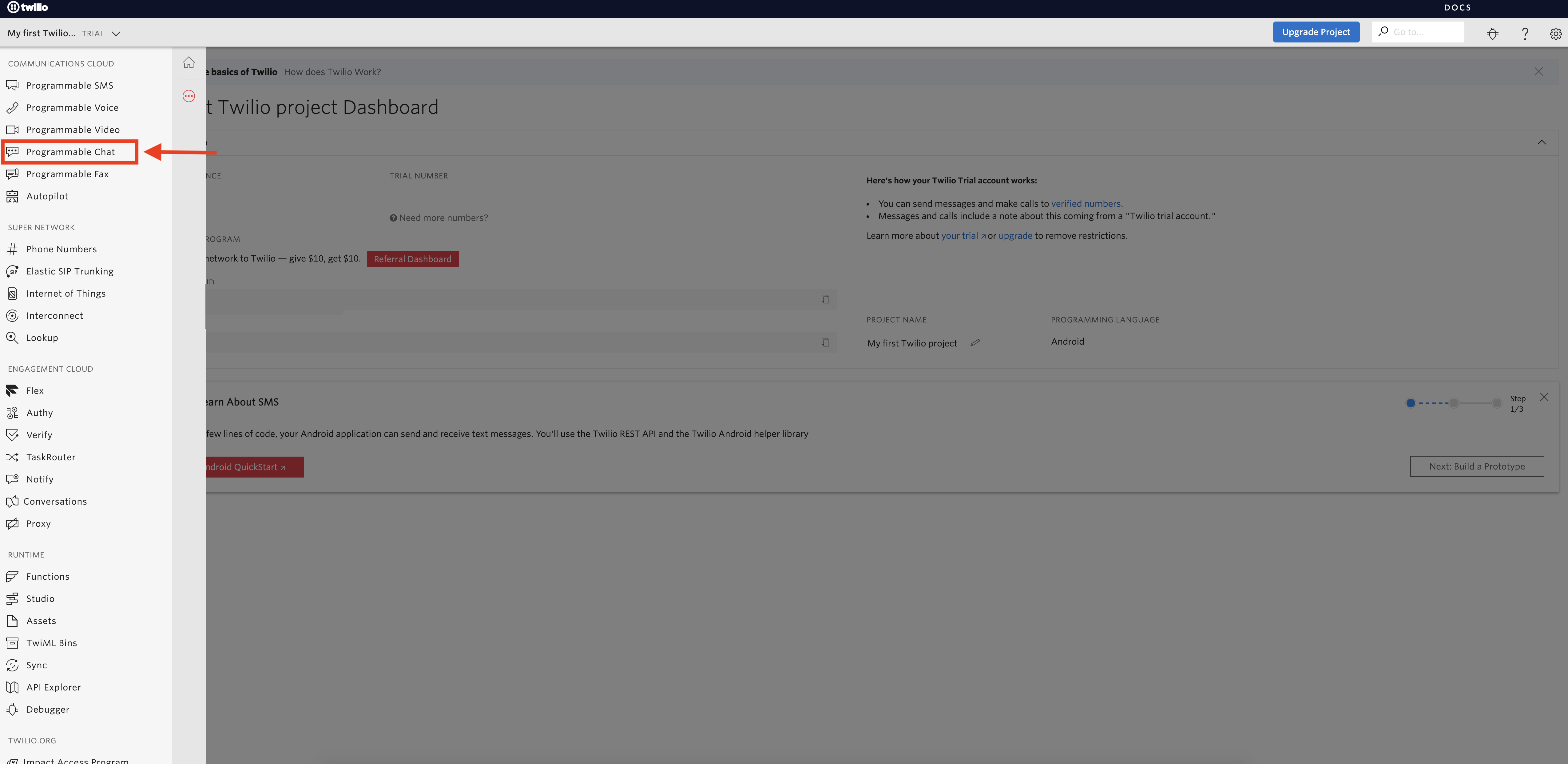
Step 10 : Click on Tools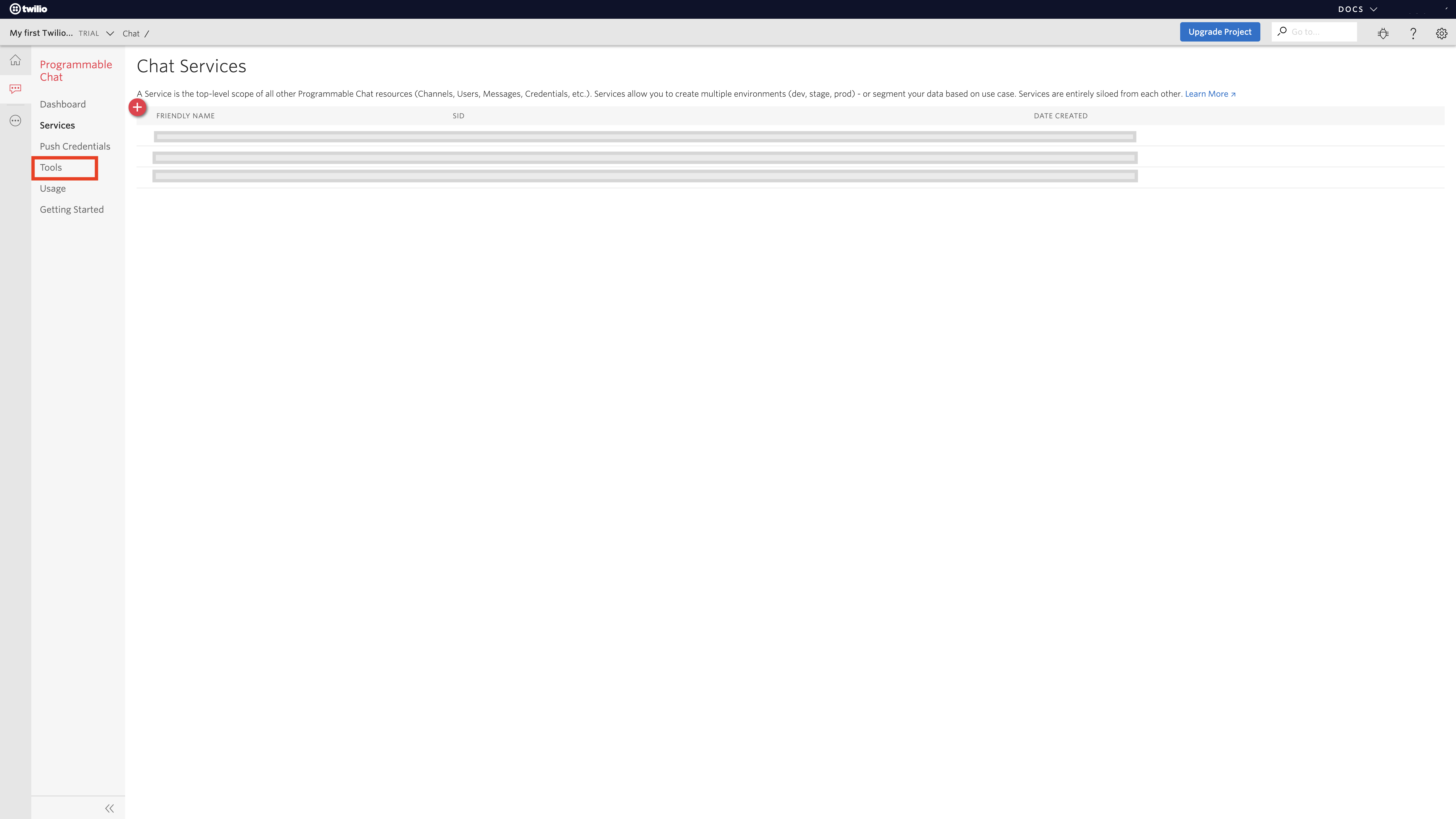
Step 11 : Click on + icon to create API Keys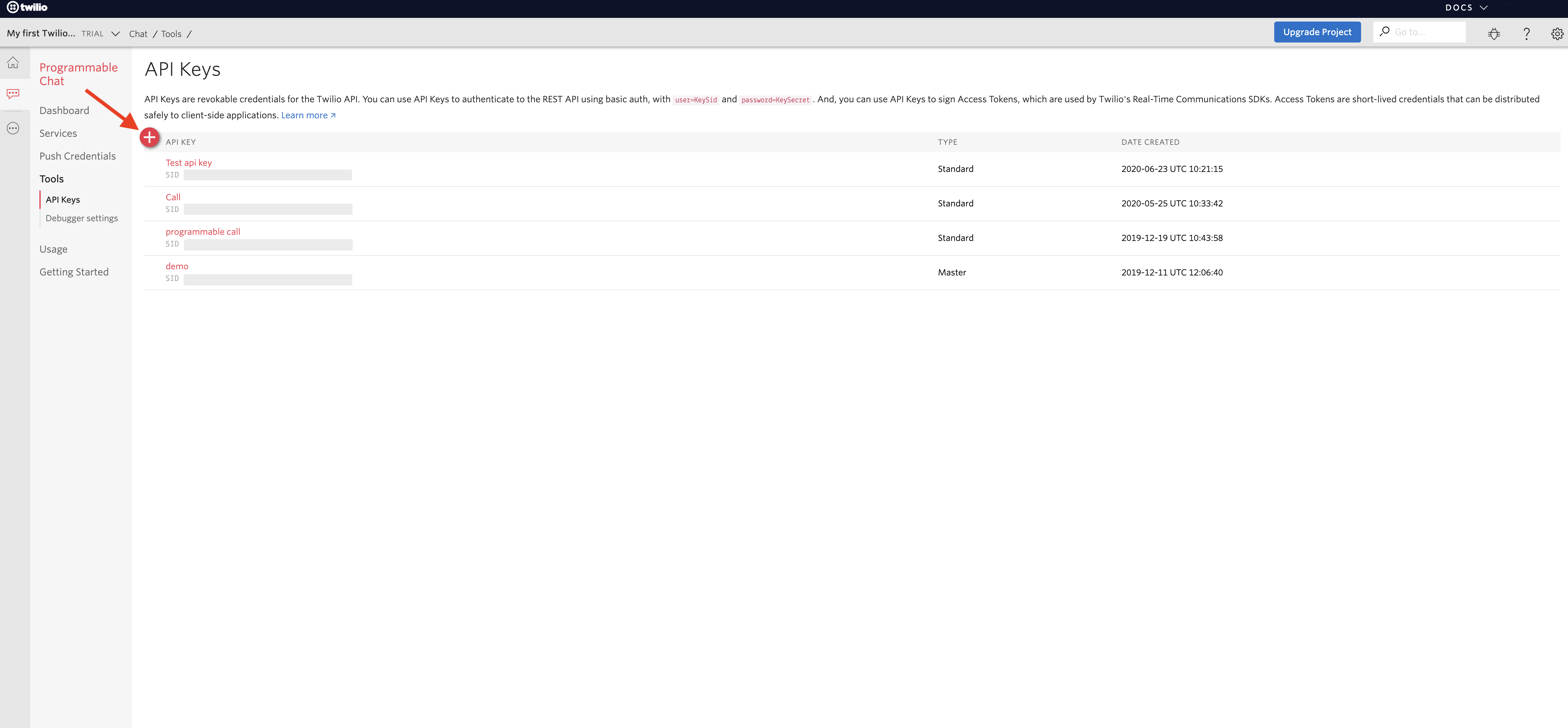
Step 12 : Enter FRIENDLY NAME and click on dropdown menu to change key type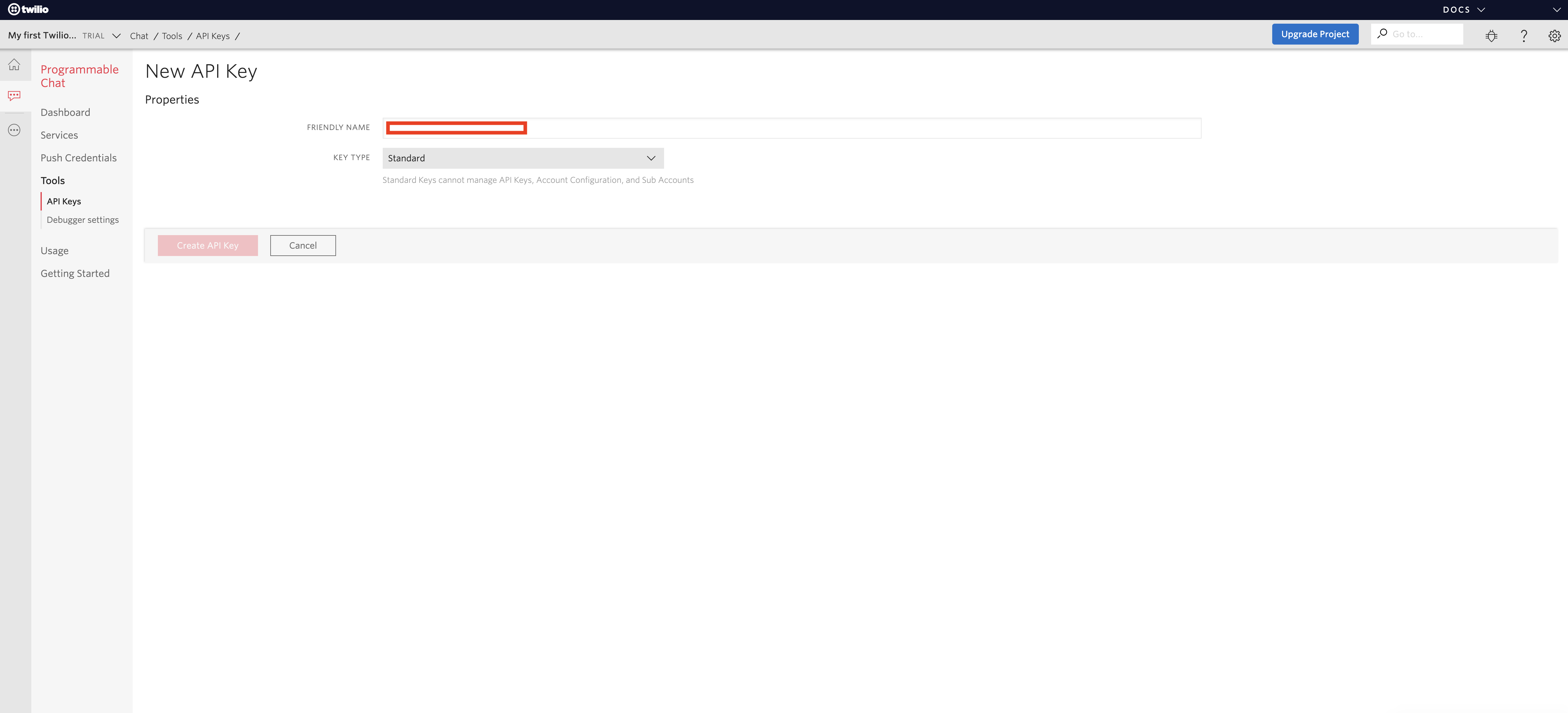
Step 13 : A dropdown menu will open, change key type and click on Create API key button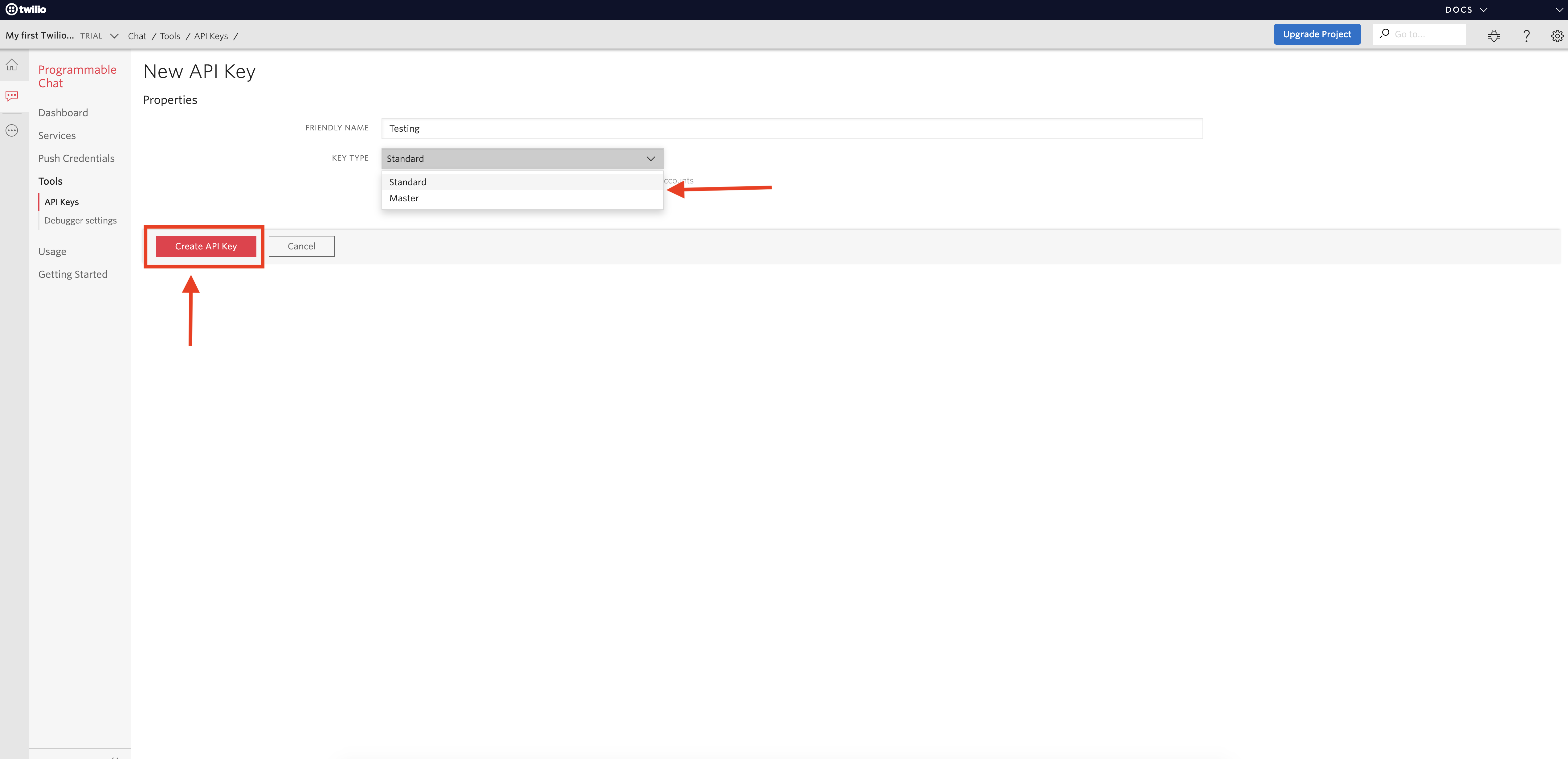
Step 14 : Here is your Twilio API key and Twilio Account Secret key, copy them. Select the check box and click on Done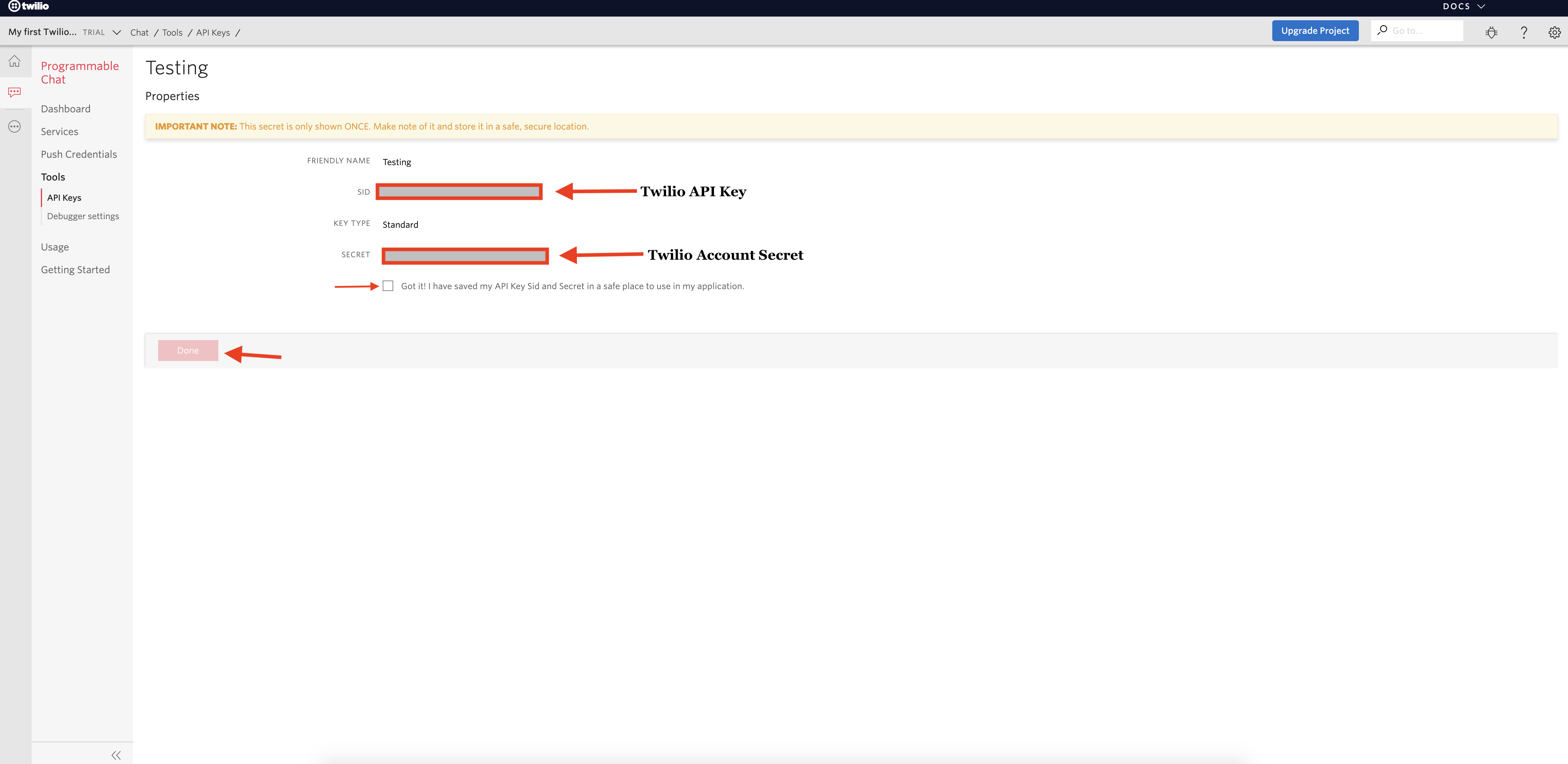
هل كان المقال مساعدا
هل كان المقال مساعدا
شكرا لملاحظاتك!
- انضم
- تسجيل الدخول
