
ابدأ رحلة عملك عبر الإنترنت


How to setup PayPal IPN notifications?
Follow below mentioned steps to setup PayPal IPN notifications:
Step1 : Go to PayPal, and click on Login/Sign Up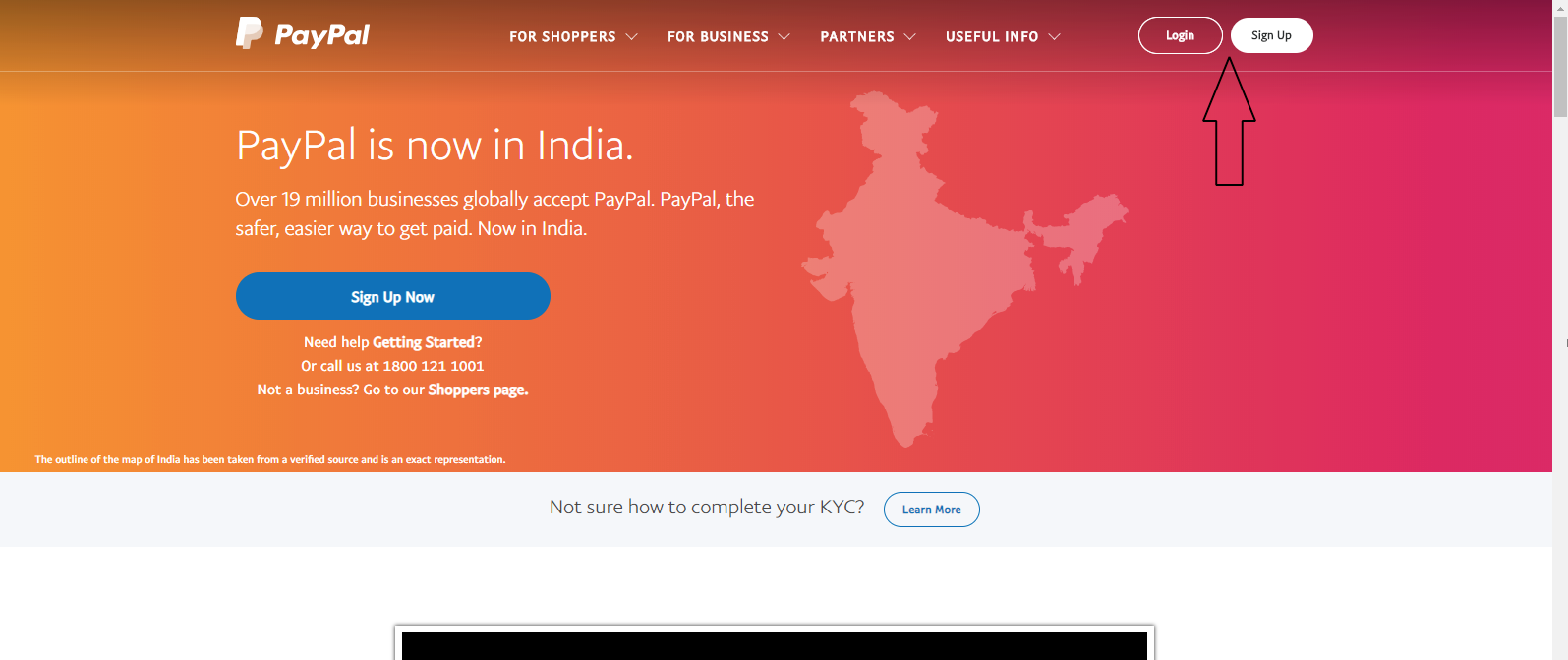
Step2 : Enter your credentials and login. If you don’t have an account, you can create one by clicking on Sign Up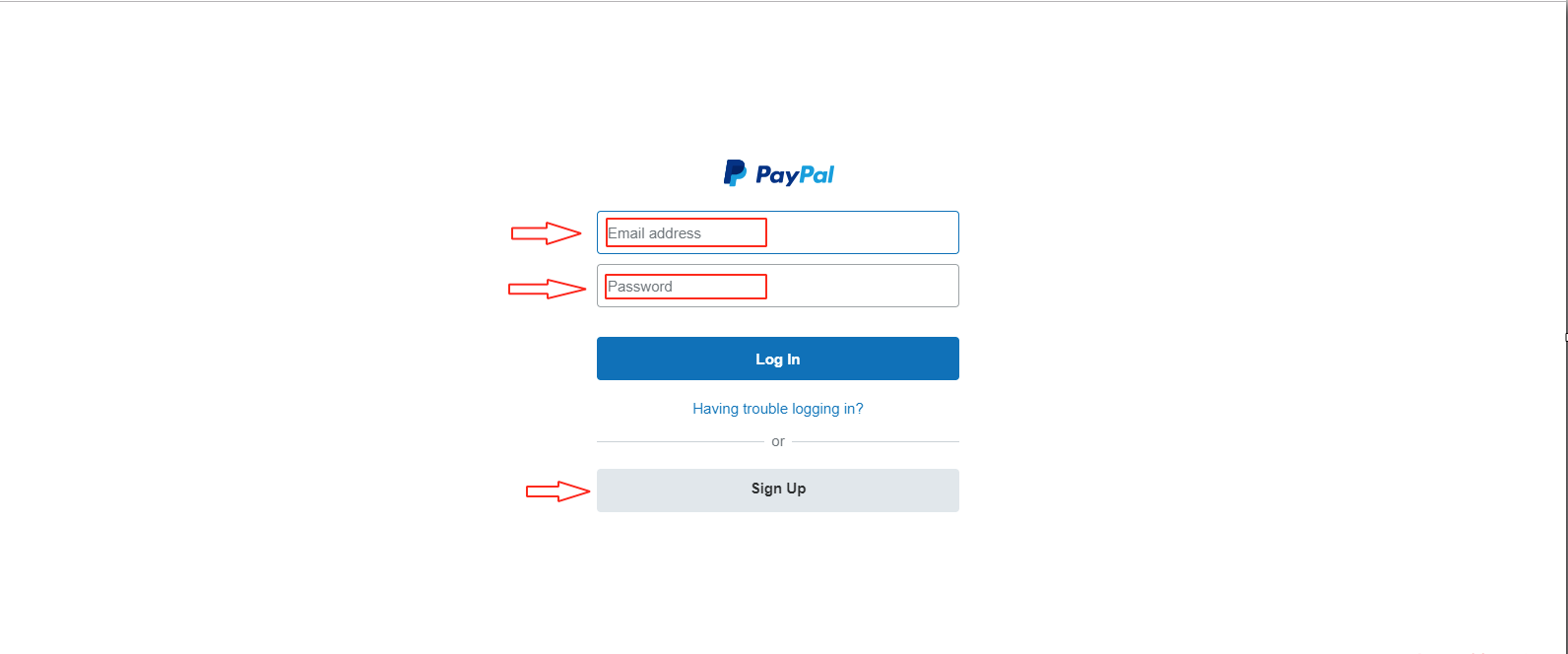
Step3 : On your PayPal dashboard, click on Profile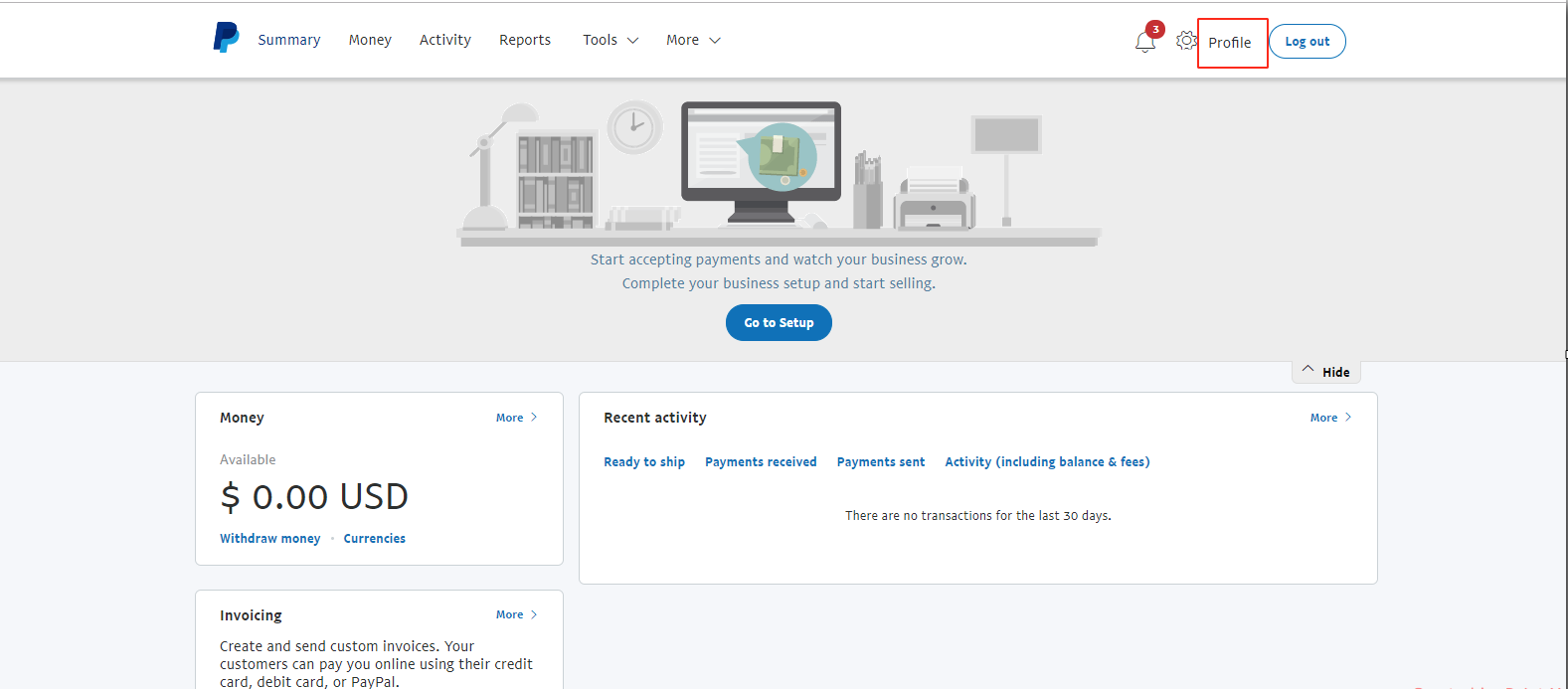
Step4 : A dropdown menu will appear, click on Profile and settings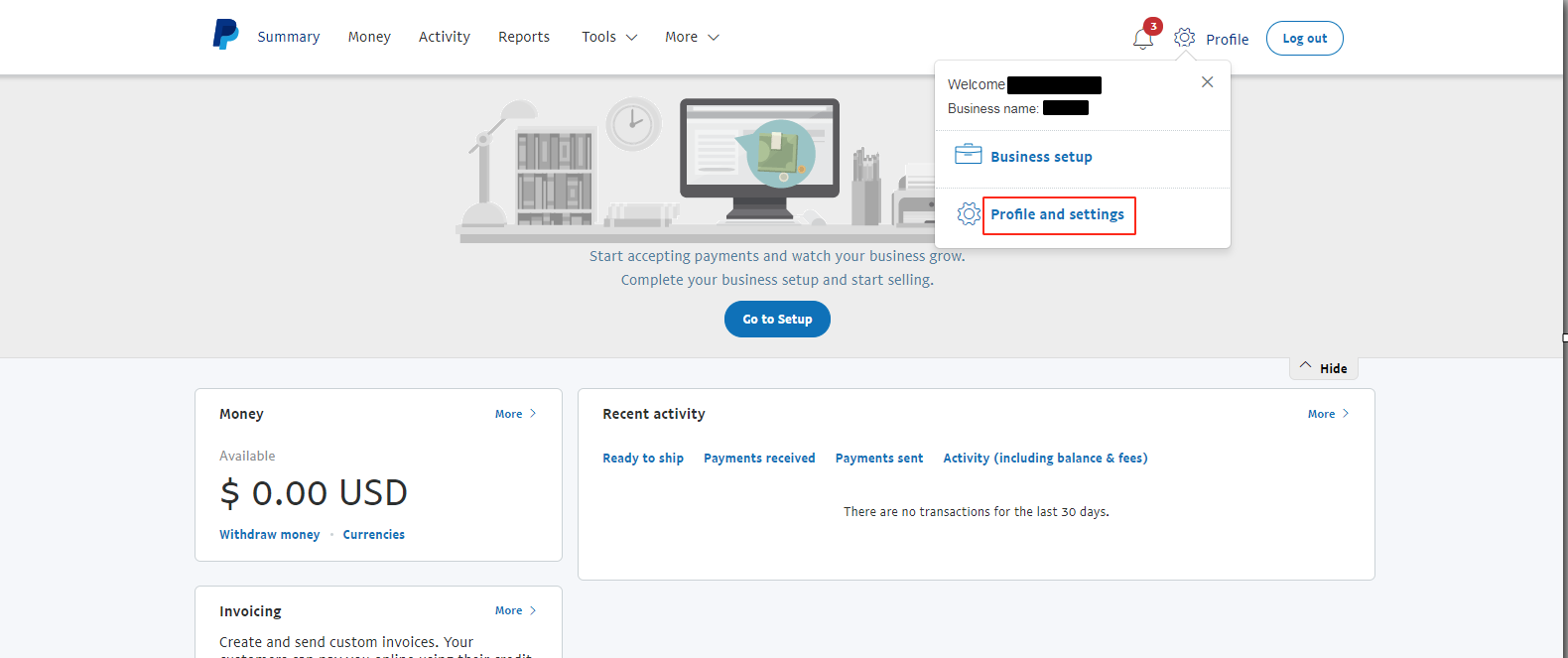
Step5 : Click on Selling tools on the left hand side menu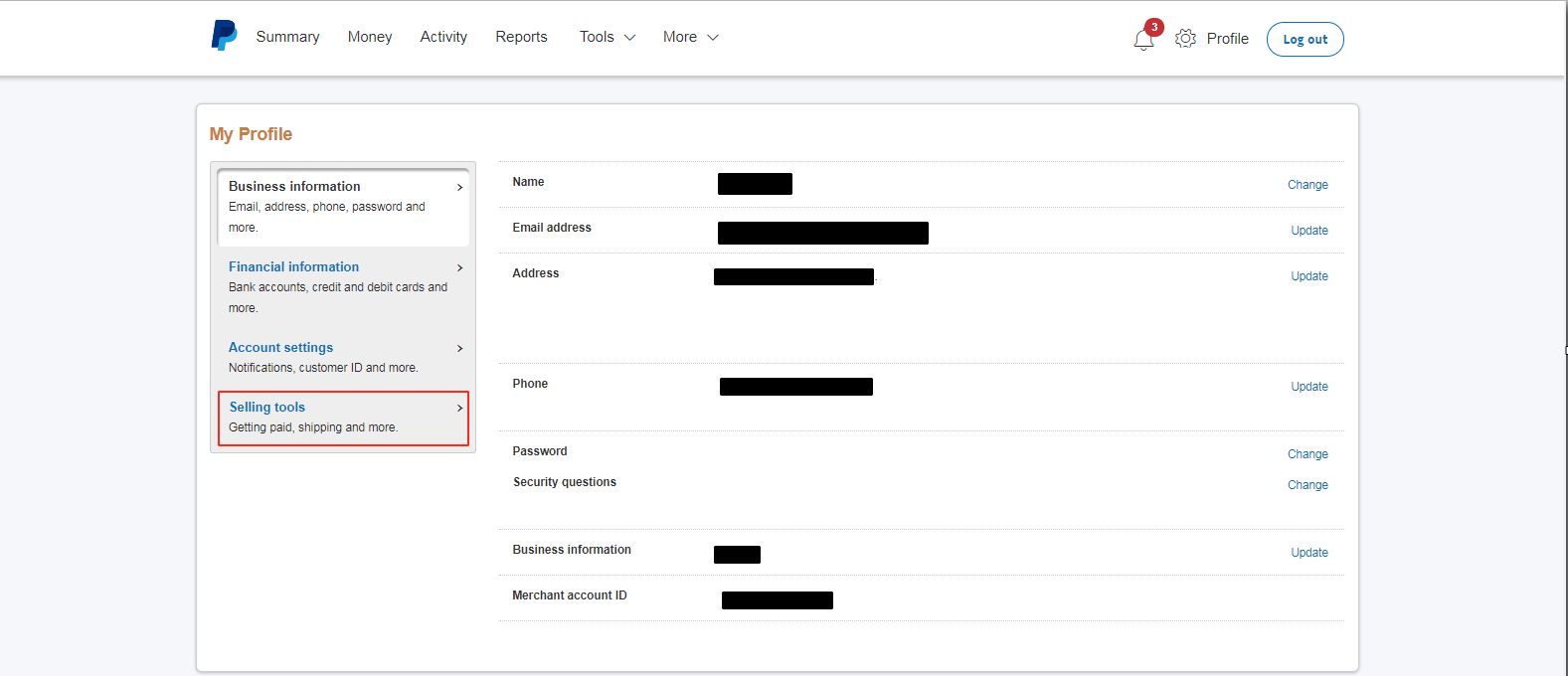
Step6 : Go to Getting paid and managing my risk section and click on Update option of Instant Payment Notifications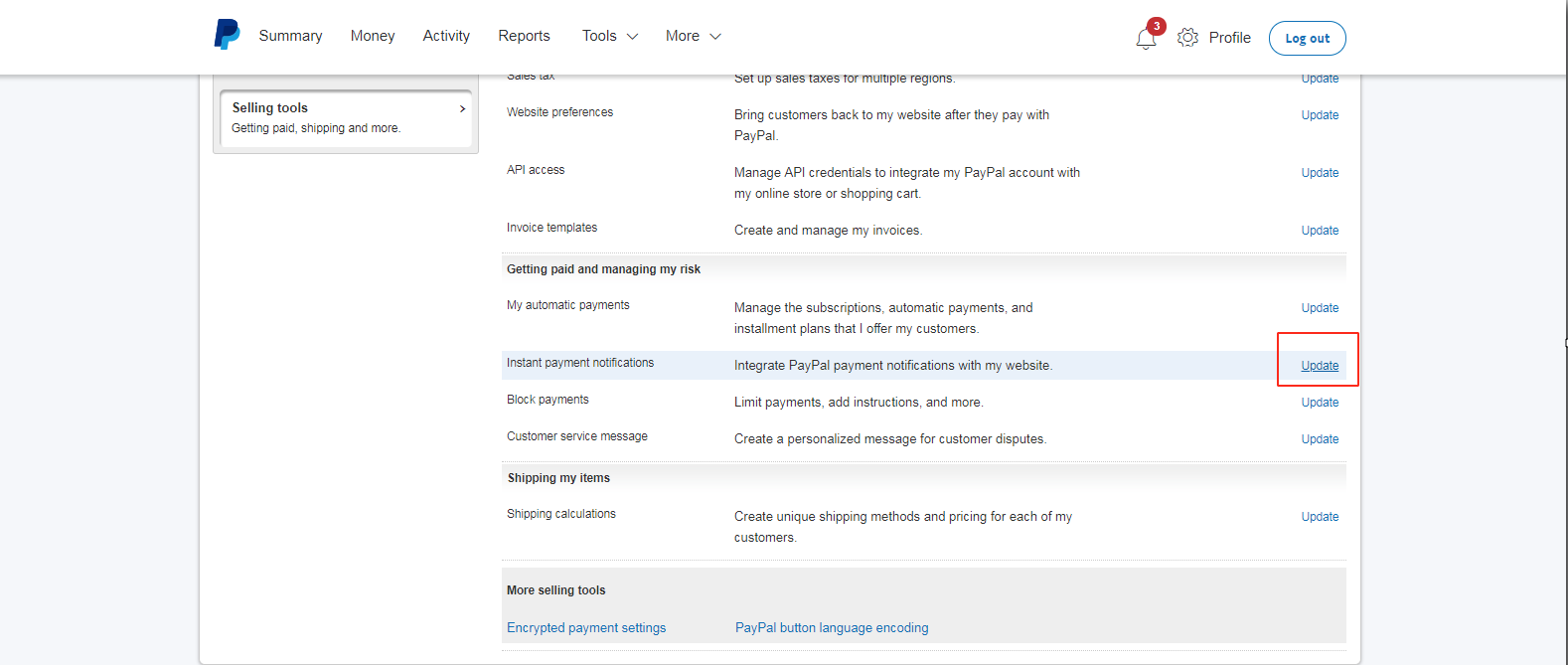
Step7 : Click on Choose IPN Settings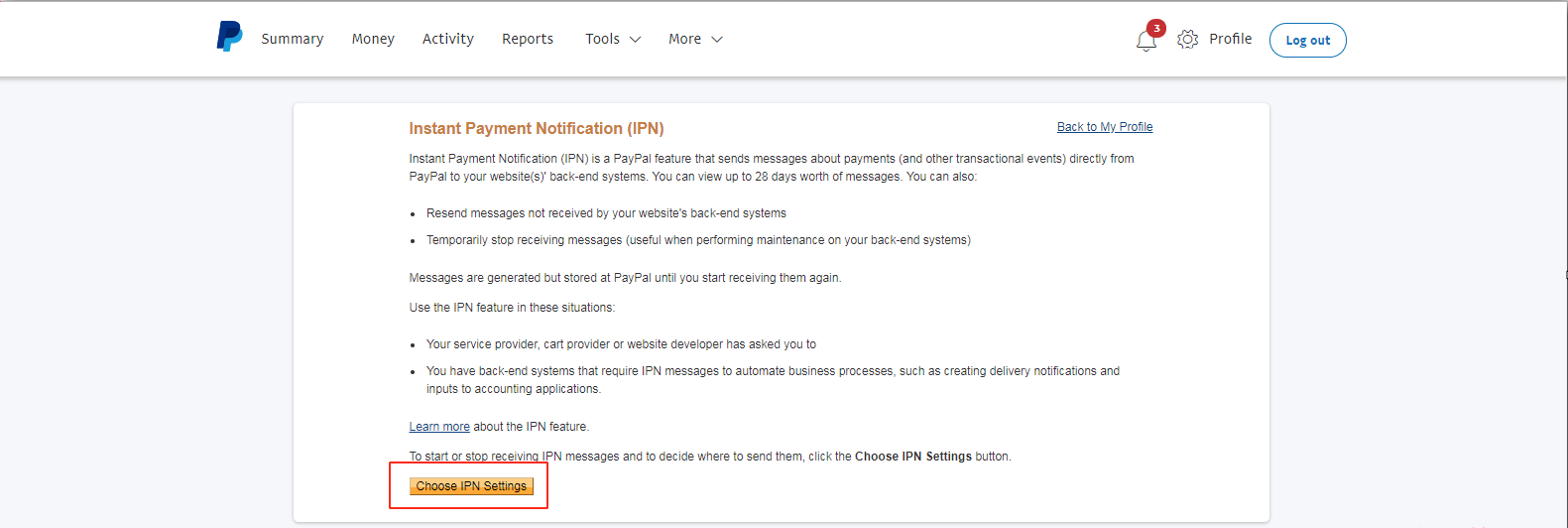
Step8 : Enter the Notification URL, and select Receive IPN messages option to enable it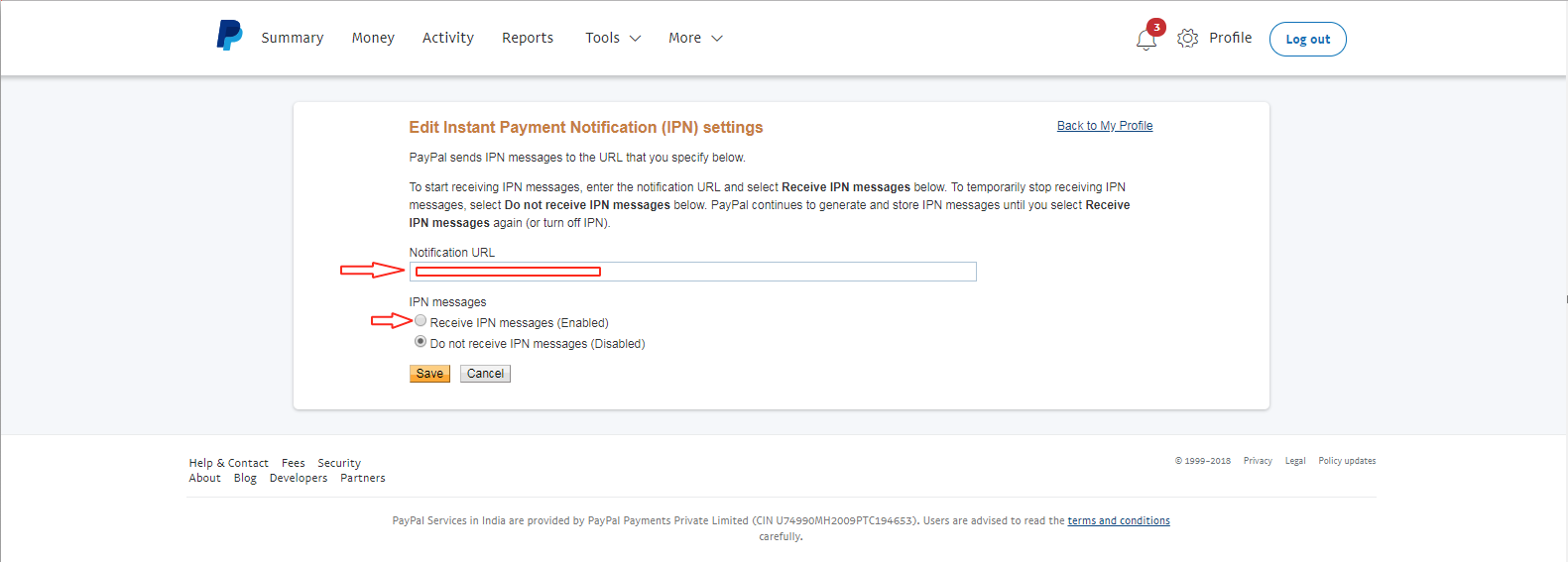
Step9 : Once done, click on Save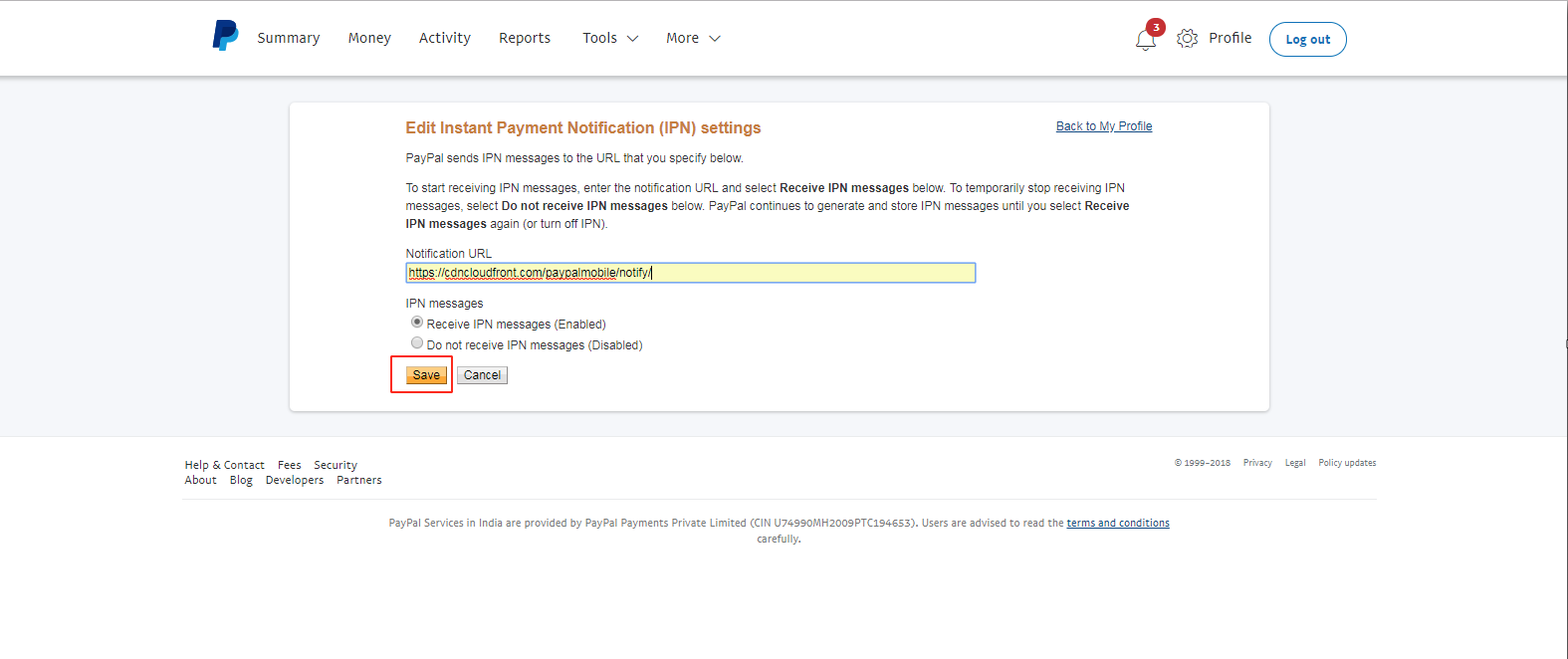
هل كان المقال مساعدا
هل كان المقال مساعدا
شكرا لملاحظاتك!
- انضم
- تسجيل الدخول

أهلا، زائر!