
ابدأ رحلة عملك عبر الإنترنت


How to setup Mercado Pago payment gateway in your app?
Follow our tutorial to easily setup Mercado Pago payment gateway in your app
Step 1: Go to Mercado Pago
Step 2: Click on user icon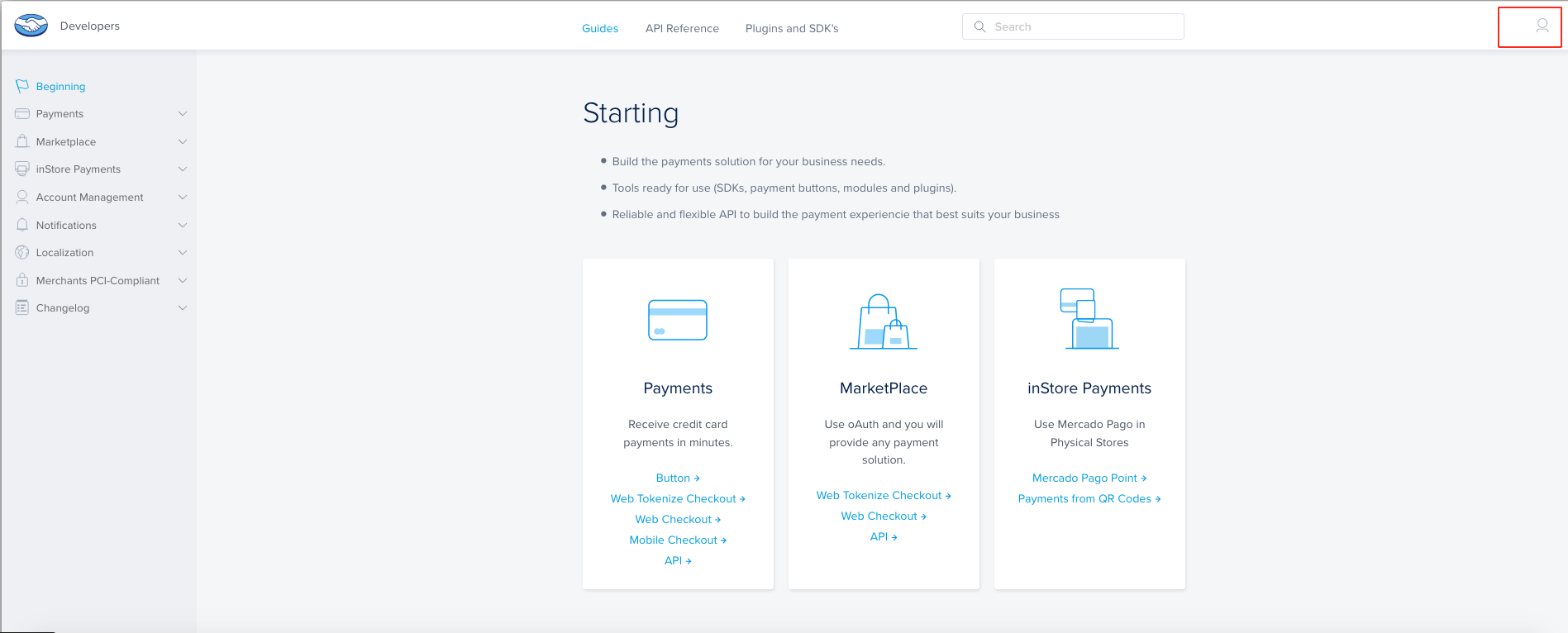
Step 3: If you have created an account with Mercado Pago, login, else sign up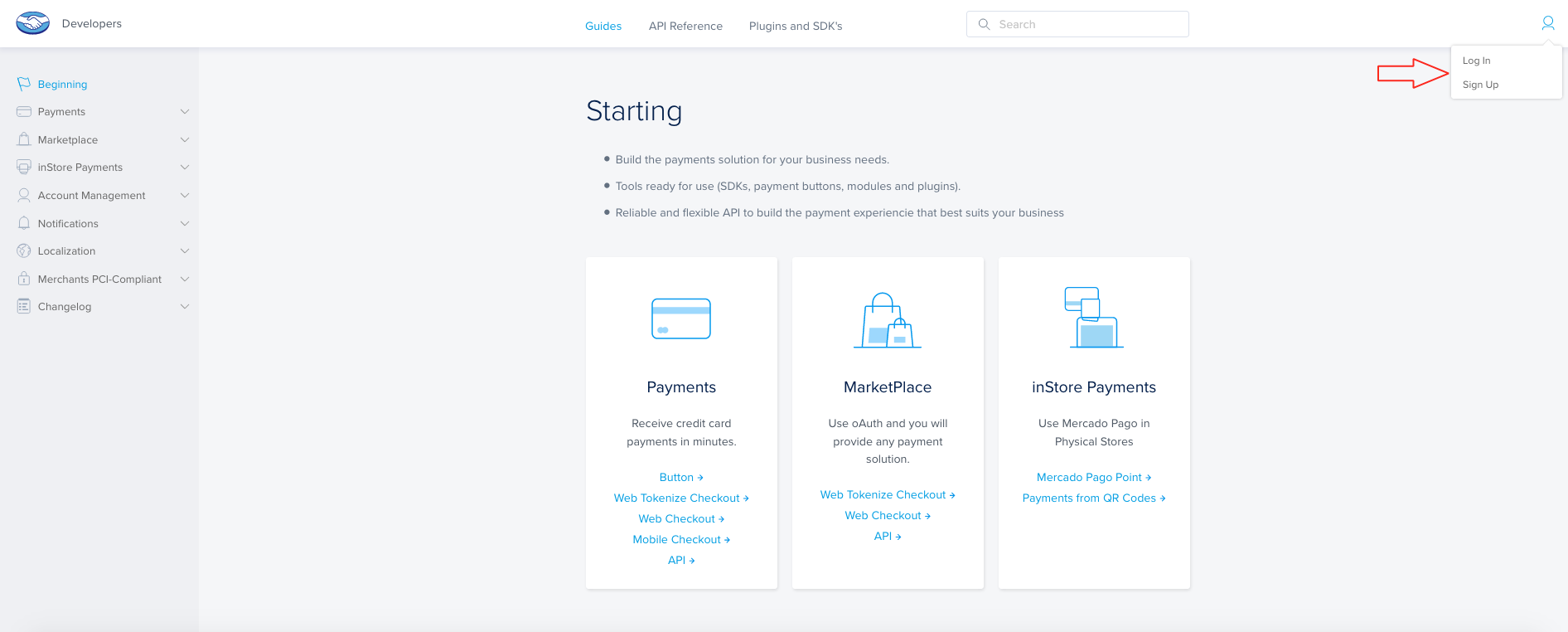
Step 4: Enter your credentials and login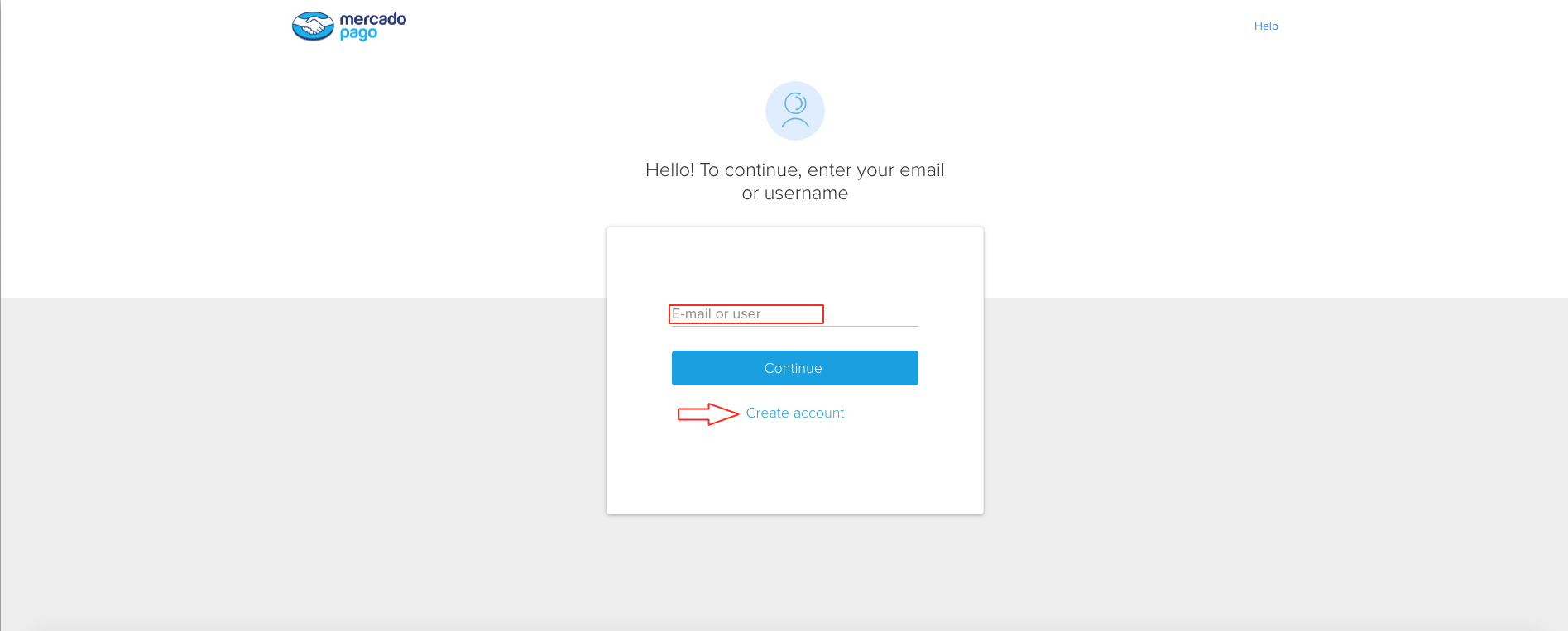
Step 5: Click on the icon to open User Profile menu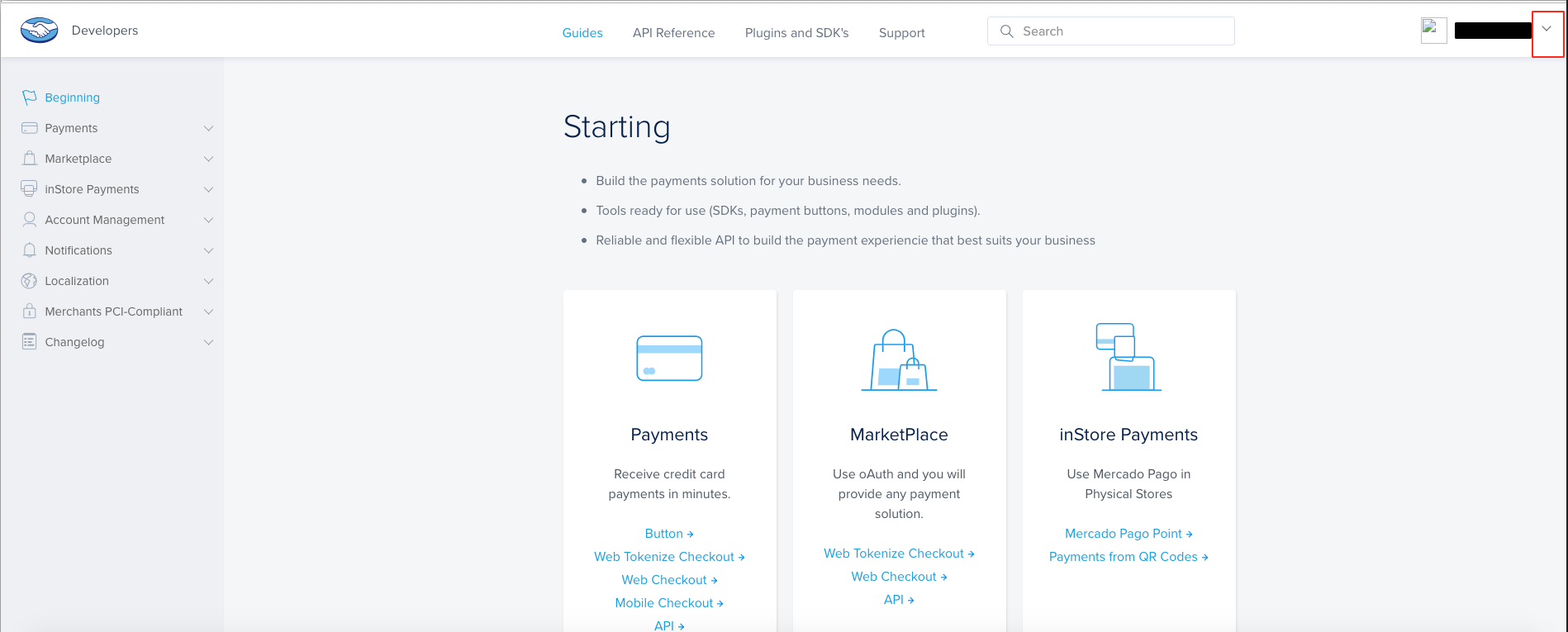
Step 6: Click on Credentials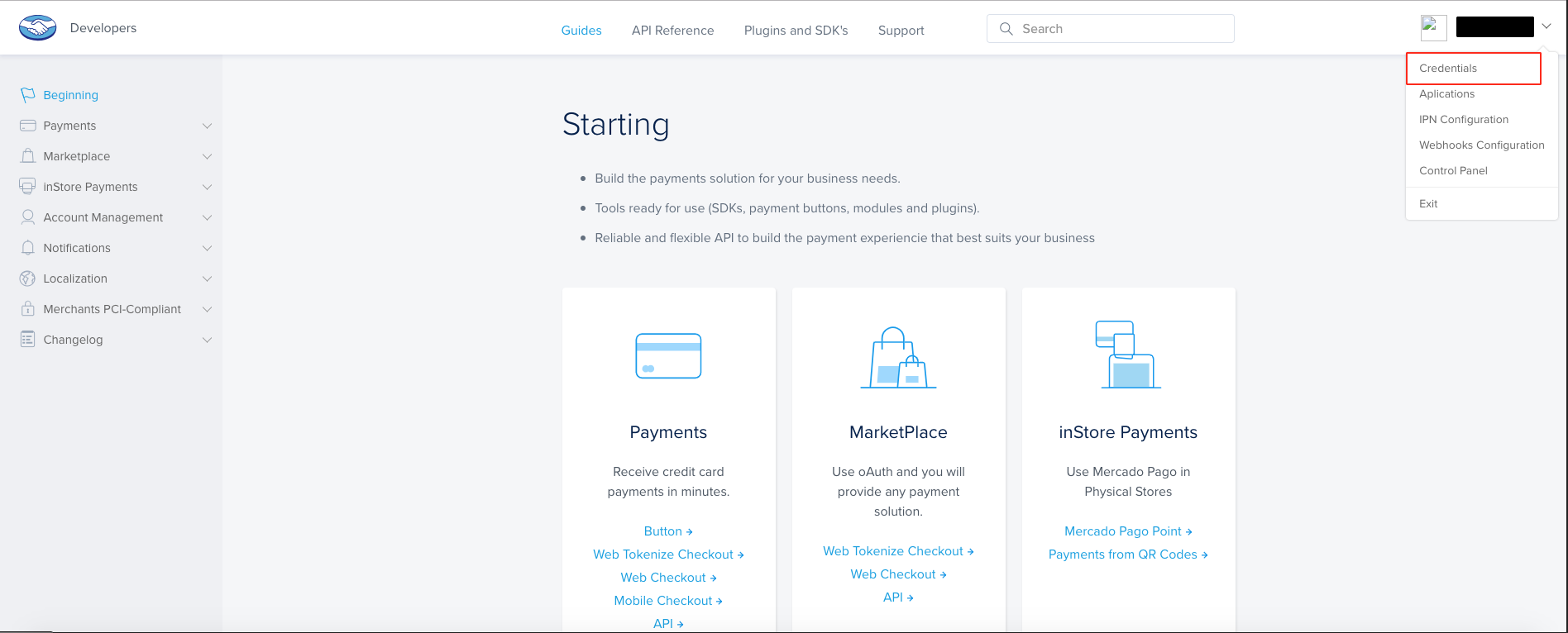
Step 7: Here is Sandbox and Production mode Public key and Access token. Now go to Checkout Basic tab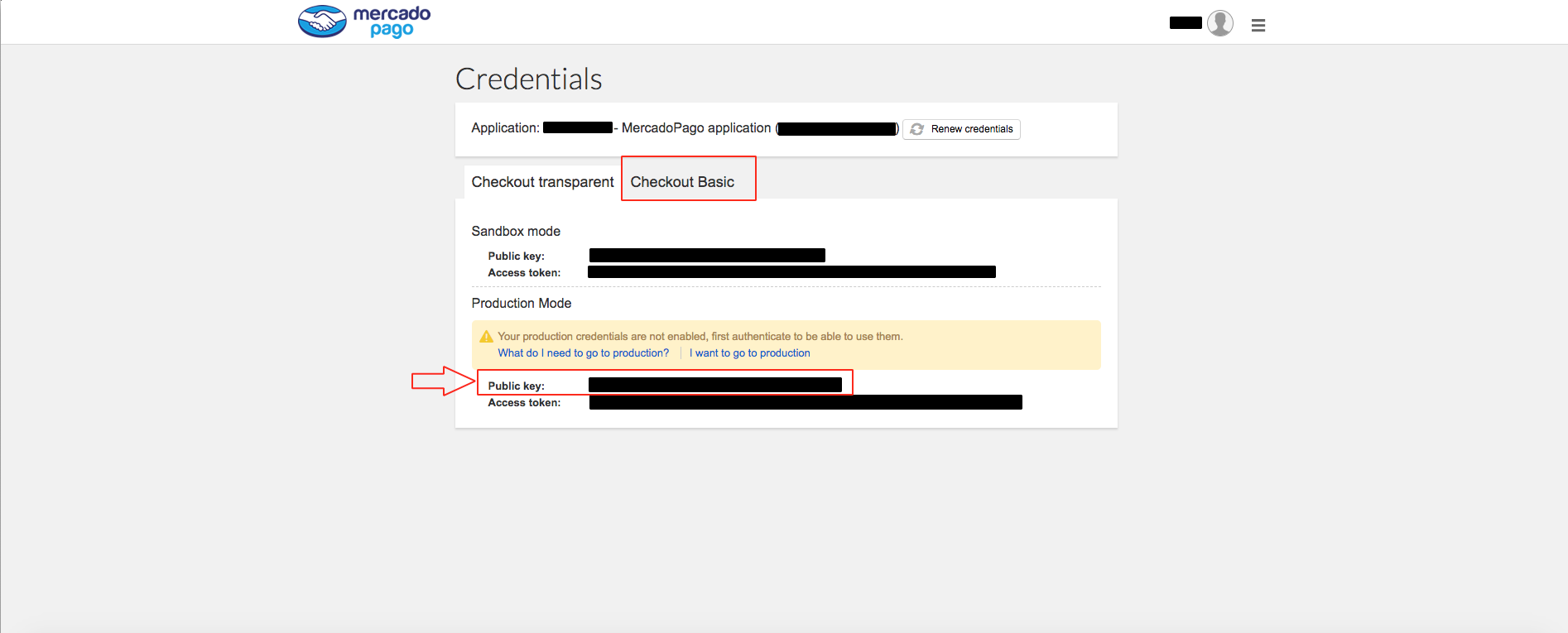
Step 8: Here is your Client ID and Client Secret key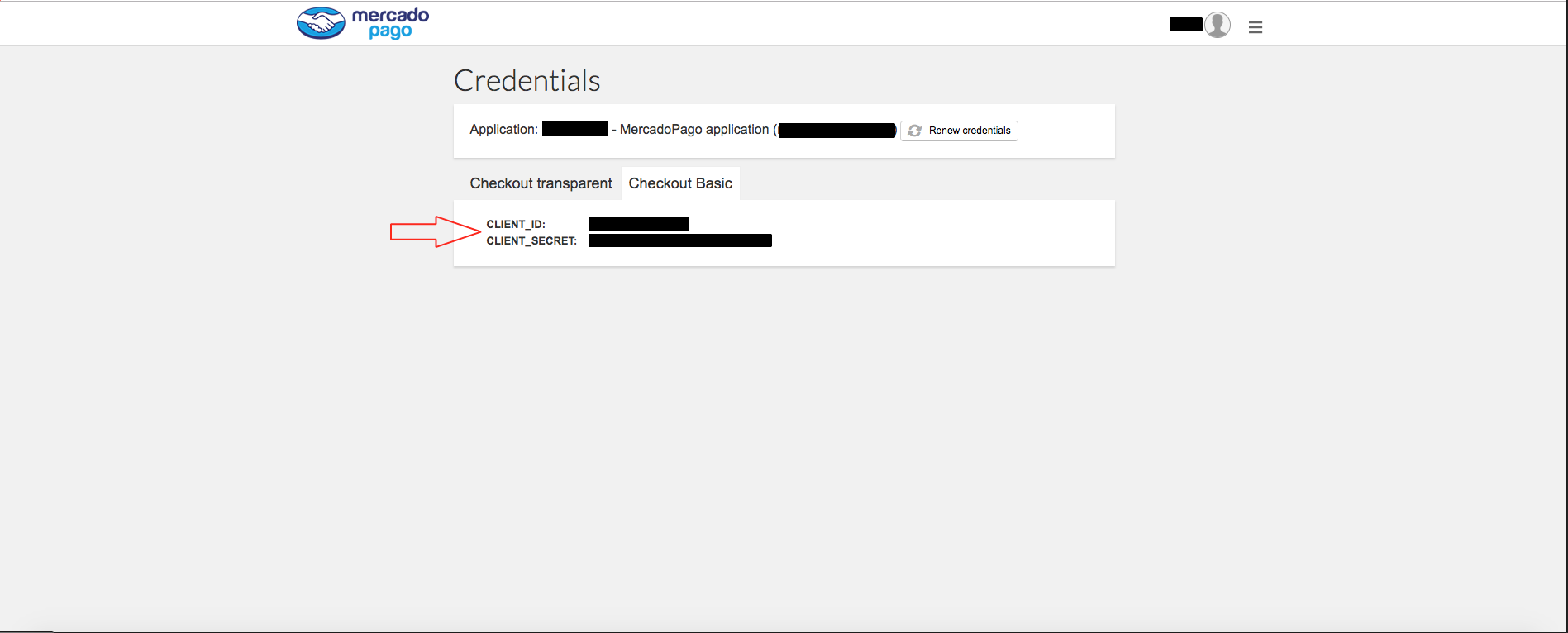
Step 9: Copy all of the keys and paste it into their respective fields to enable Mercado Pago payment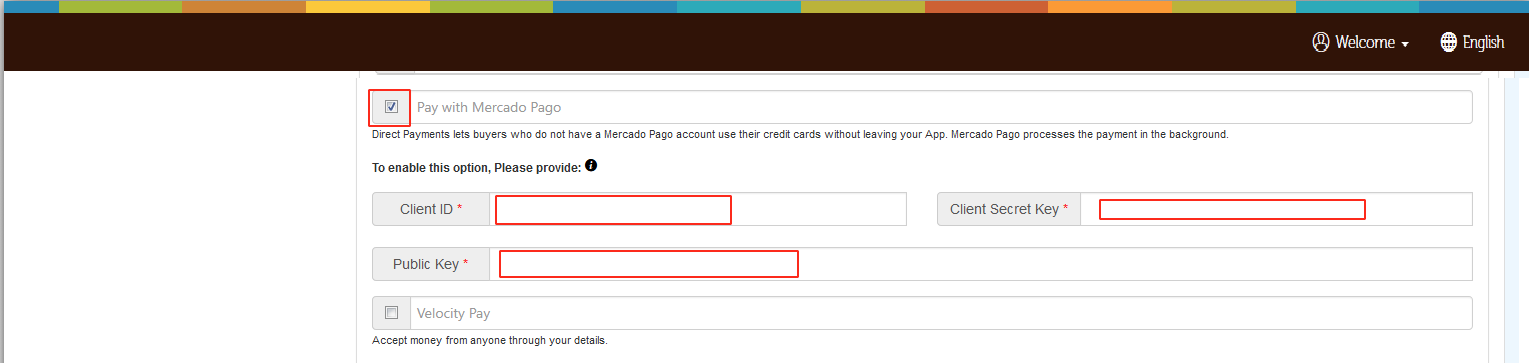
هل كان المقال مساعدا
هل كان المقال مساعدا
شكرا لملاحظاتك!
- انضم
- تسجيل الدخول

أهلا، زائر!