
ابدأ رحلة عملك عبر الإنترنت


How to Integrate Google Analytics to your App?
Follow mentioned steps to obtain your UA-ID
- If you have created an account with Google, then login, else Register
-
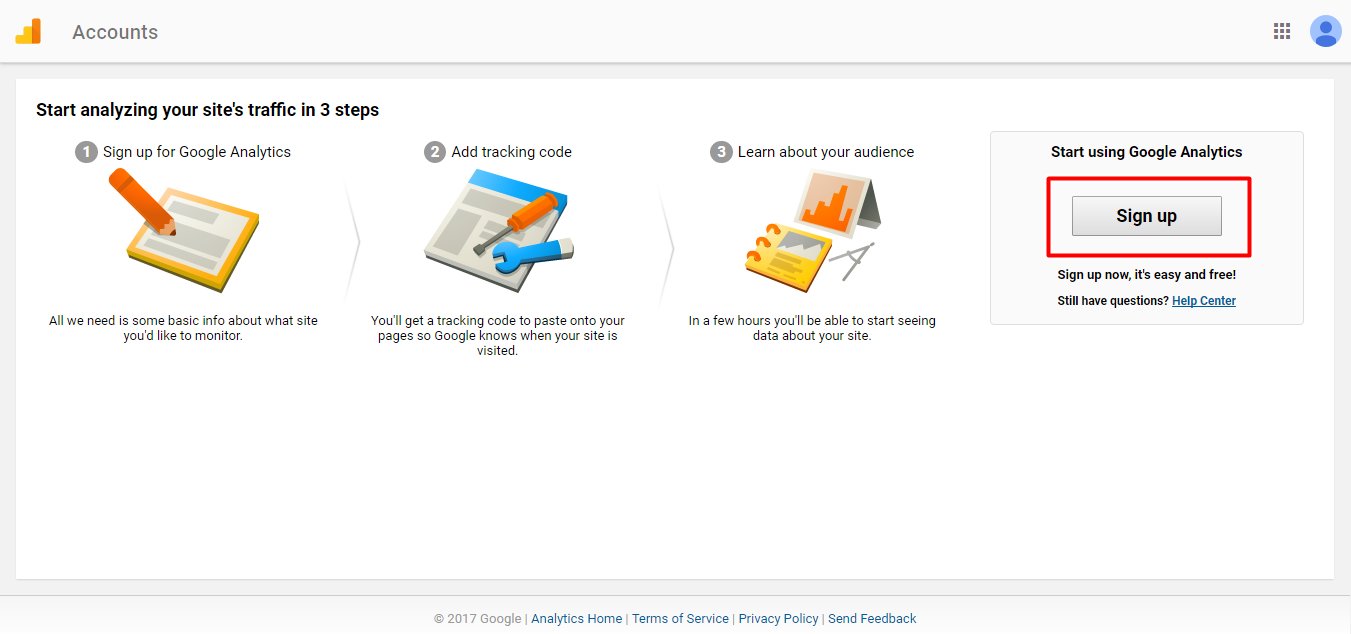
Open Google Analytics, and click on Sign Up button to enter the portal
-
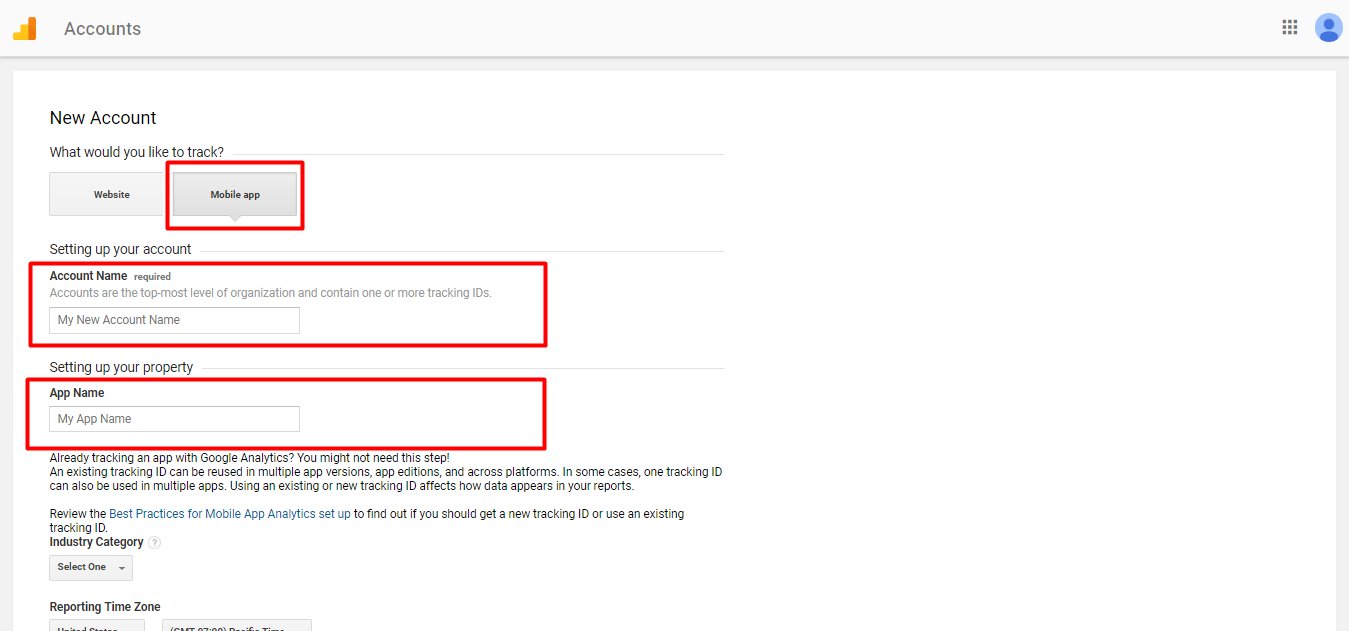
Click on Mobile App tab, and provide Account Name and App Name
-
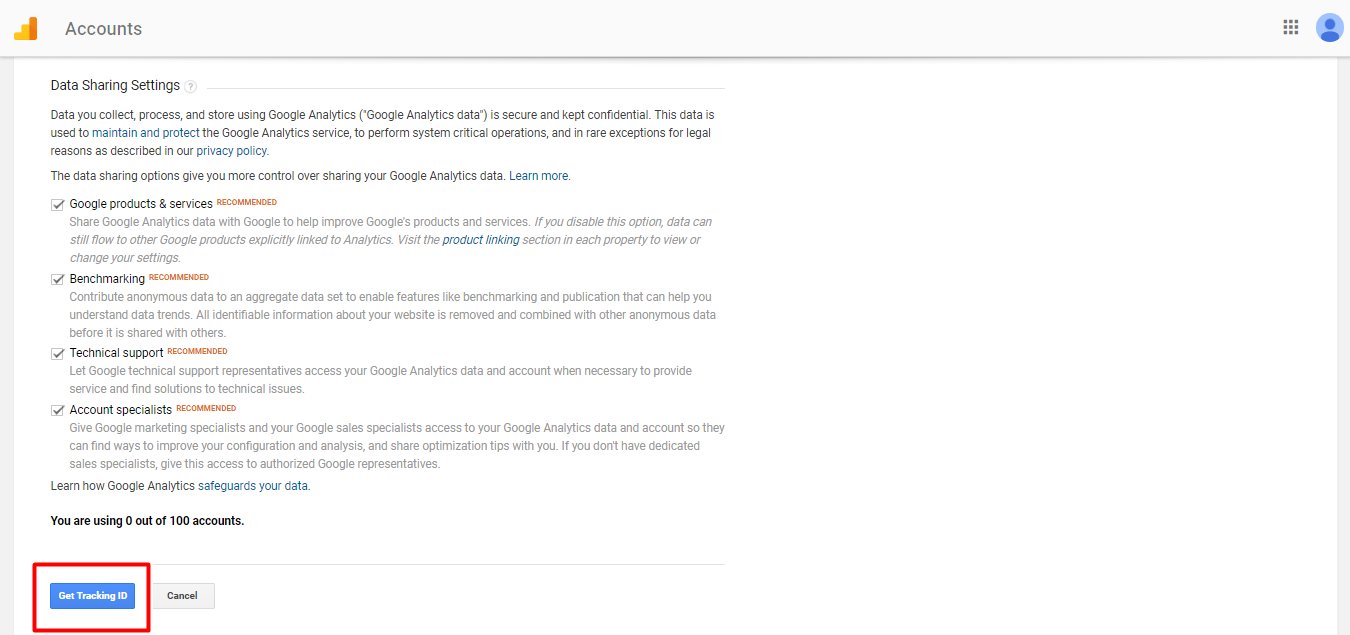
Now click on Get Tracking ID button
-
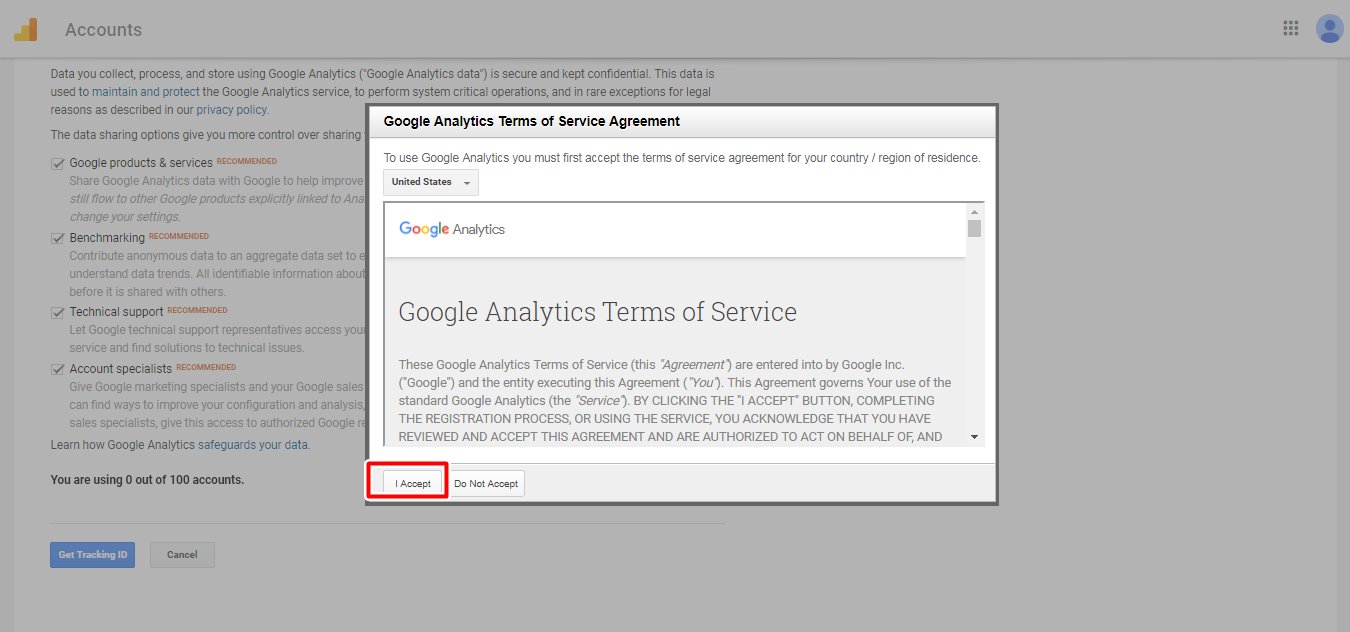
Click on Accept button to Accept the Terms & Conditions
- Goto Admin
-
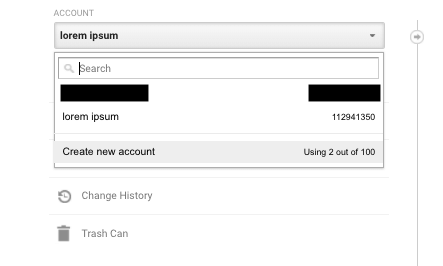
Select Account, if you already haven't setup account, then you can create a new account
-
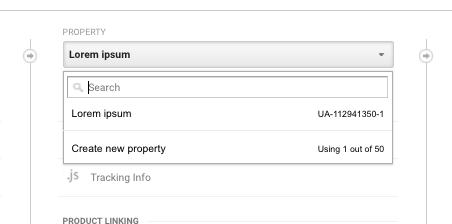
In the PROPERTY column, Select Property, if you already haven't setup any property, click on Create new property from the dropdown menu.
-
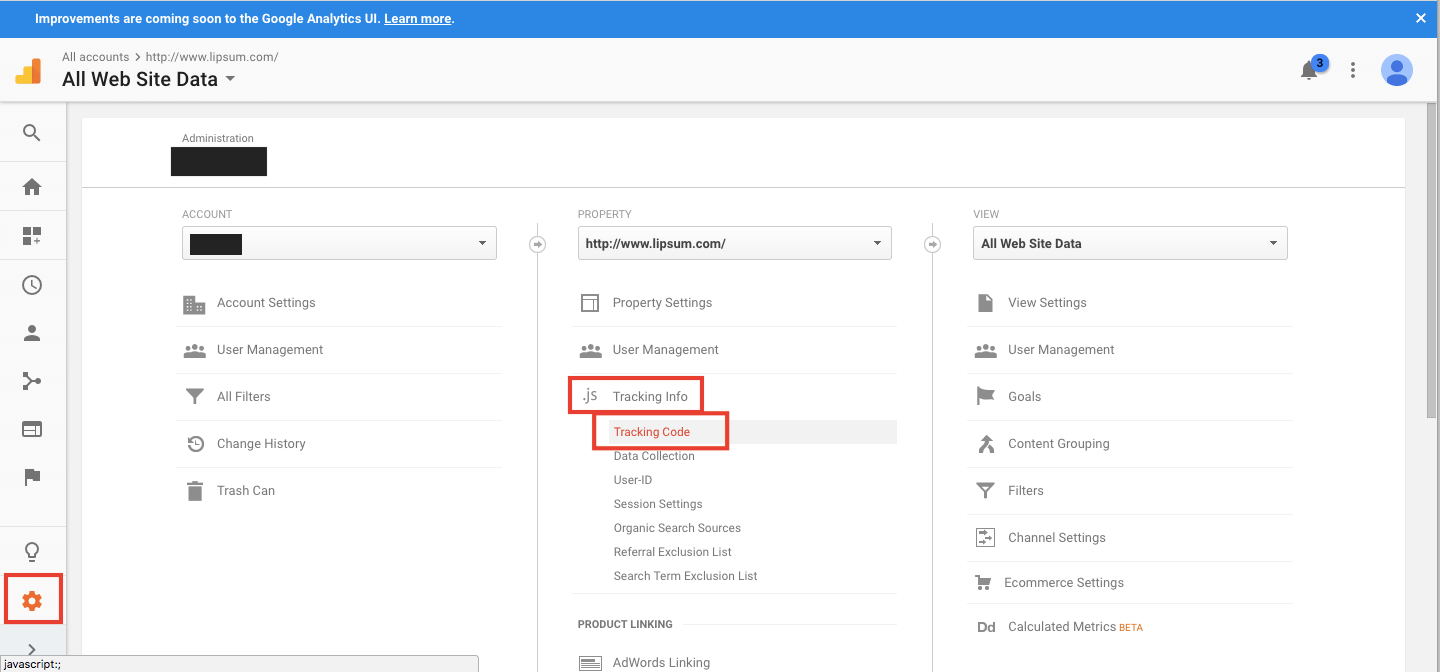
Under Property section, goto Tracking Info >> Tracking Code
-
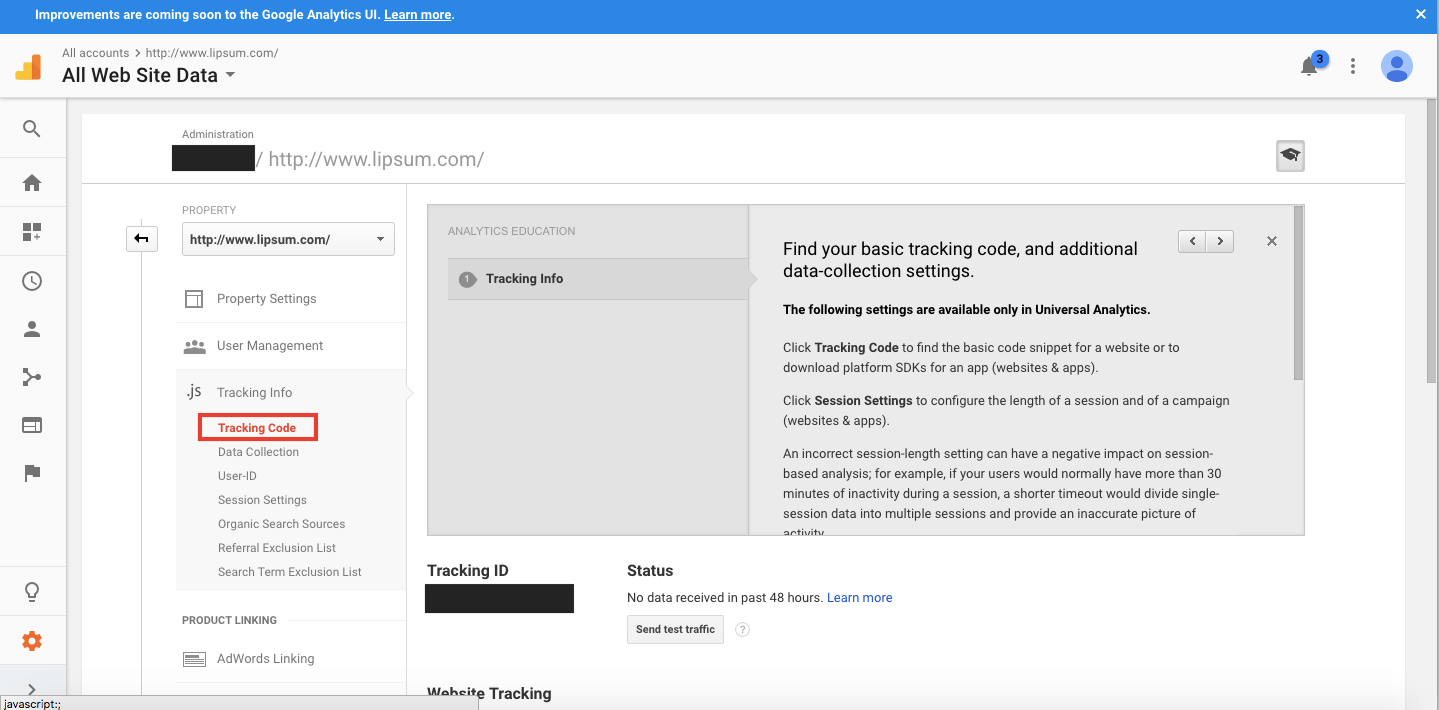
Here is your Tracking ID (UA-ID)
هل كان المقال مساعدا
هل كان المقال مساعدا
شكرا لملاحظاتك!
- انضم
- تسجيل الدخول

أهلا، زائر!