
ابدأ رحلة عملك عبر الإنترنت


How to create Provisioning Profile for publishing app on iTunes Connect?
Create a distribution provisioning profile
-
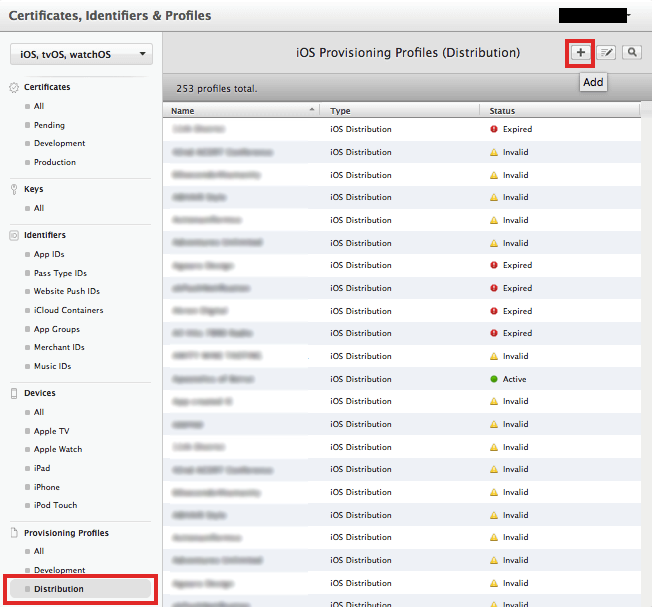
Click on Distribution Tab ant then click on ’+’
-
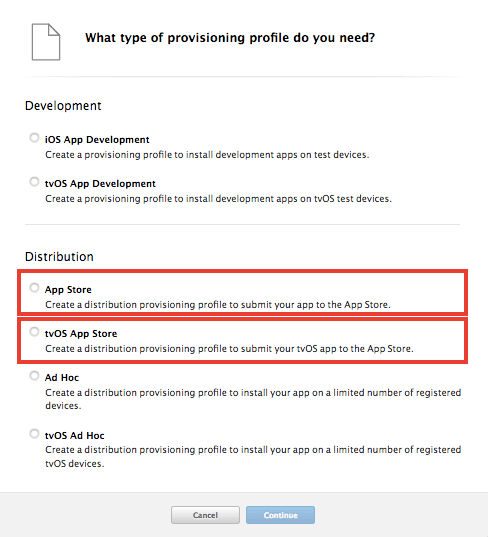
Select App Store/tvOS App Store option Under Distribution and click Continue
-
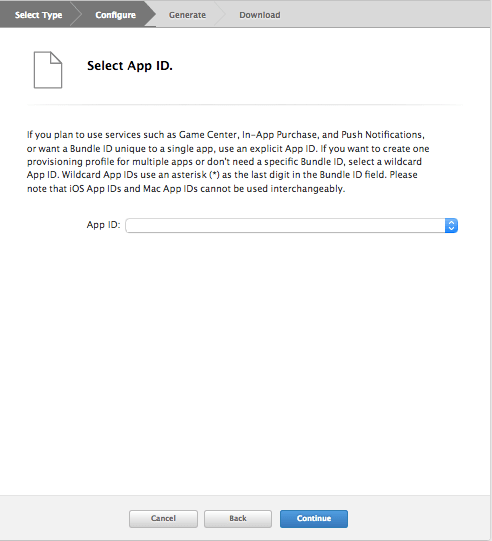
Select App Id that you created in Part 1-B and click Continue
-
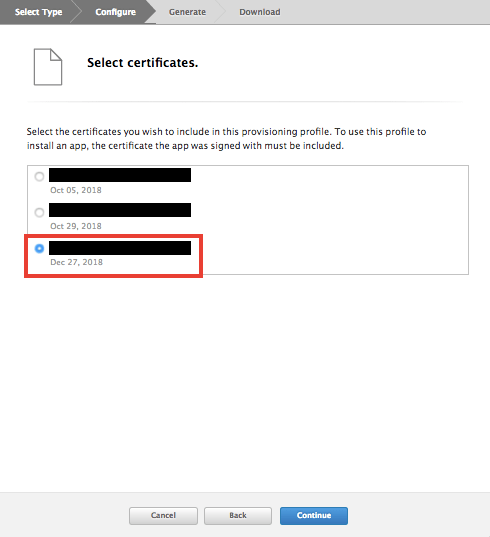
Select the latest certificate and click Continue
-
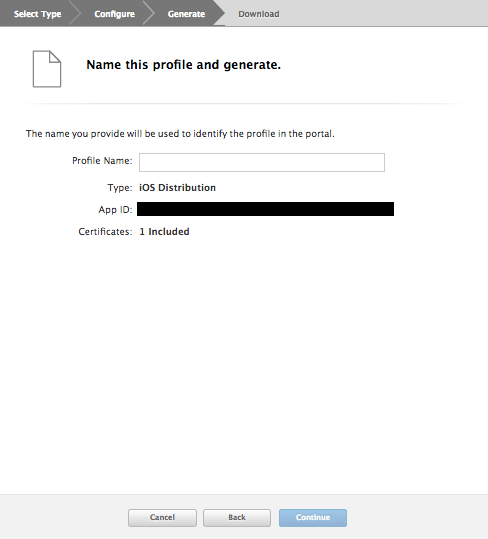
Enter your App Name in Profile Name
-
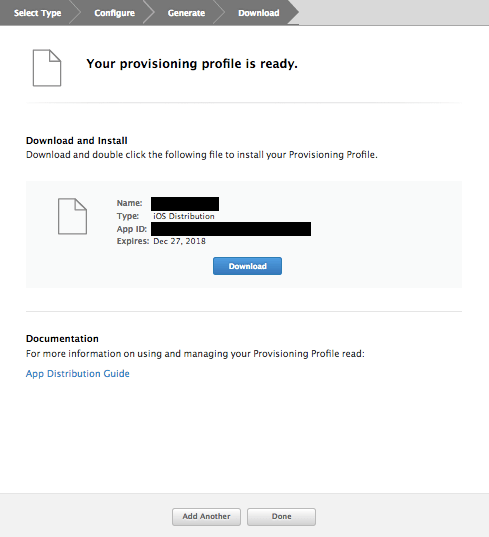
Download the Certificate and click on Done
هل كان المقال مساعدا
هل كان المقال مساعدا
شكرا لملاحظاتك!
- انضم
- تسجيل الدخول

أهلا، زائر!