
ابدأ رحلة عملك عبر الإنترنت


How do I add ShoutCast Radio to My App?
- Go to App Pages in the App Design section.
- Select Multimedia menu, and click on Sound Page to add the Radio feature in the app.
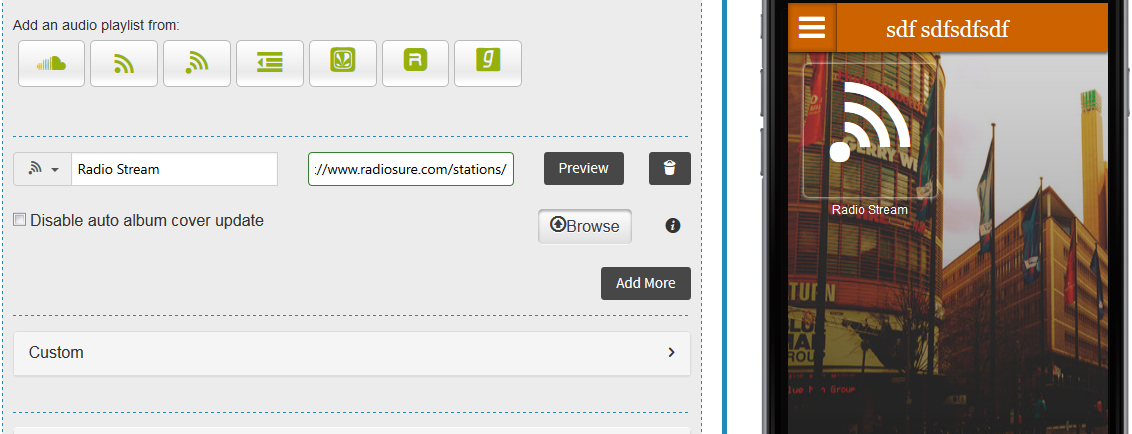
- Click on Radio stream button to add an audio playlist from Radio.
- Enter your Radio Station Name followed by Radio PLS URL.
- Hit Preview to check the functionality of the Radio feature.
- Once done, click Save & Finish button to update the changes.
(See Screenshot Below)
هل كان المقال مساعدا
هل كان المقال مساعدا
شكرا لملاحظاتك!
- انضم
- تسجيل الدخول

أهلا، زائر!